


Table of Contents
Task management ecosystems are experiencing a major realignment following Redmond’s confirmation of future cloud changes. Navigating an effective Microsoft To Do Migration has become an urgent operational priority as millions of personal and corporate subscribers confront the definitive June 30, 2027 shutdown date.
While enterprise tenants will transition into an overhauled Microsoft Planner environment, independent consumers are left without a native personal equivalent. Competing software architects have quickly capitalized on the upheaval, introducing sophisticated ingestion bridges that rescue historical task archives with minimal friction.
Evaluating potential task management destinations requires contrasting ingestion capabilities, architectural structures, and pricing models across modern productivity ecosystems. The comparative matrix below details how leading alternatives handle list hierarchies, recurring reminders, and synchronization integrity during this platform shift.
| Platform Solution | Ecosystem Role | Ingestion Mechanism | Sync Architecture | Recurrence Handling | Free Tier Viability |
|---|---|---|---|---|---|
| Microsoft To Do | Legacy Standalone Client | Native Exchange Graph | Exchange Mailbox Sync | Standard Daily/Weekly/Custom | Fully Free (Retiring 2027) |
| Microsoft Planner | Enterprise Work Hub | Automatic Tenant Migration | Microsoft 365 Substrate | Team Sprint & Task Recurrence | Paid Commercial Tier Only |
| Todoist | Independent Task Powerhouse | Dedicated OAuth Importer | Cloud Event-Driven Sync | Natural Language Recurrence | Generous 5 Active Projects |
| Superlist | Modern Collaborative Canvas | Two-Way Live Integration | Real-Time Bi-Directional | Basic Due Date Recurrence | Generous Personal Plan |
| TickTick | All-In-One Habit Organizer | CSV & Web Import Engine | Proprietary Cloud Sync | Advanced Habit & Task Loops | Basic Features Free |
Understanding these platform differences enables power users to choose an optimal replacement suited to their daily workflow complexity. Preserving historical checklists and collaborative lists demands examining the exact technical safeguards each software provider implements.
Microsoft Statement Clarifies Official Microsoft To Do Migration Strategy
Following widespread customer confusion regarding the unannounced deprecation roadmap, Microsoft leadership publicly addressed user concerns through executive communications. Detailed coverage from technology outlet Neowin revealed that Microsoft aims to unify disparate scheduling tools across Microsoft 365 under Planner.
Howard Crow, Director of Product, Agents and AI at Microsoft, confirmed that standalone task utilities will sunset on June 30, 2027. While enterprise tenants shift seamlessly, individual account owners must formulate a personal Microsoft To Do Migration strategy to safeguard years of checklists.
Executive statements emphasized that Microsoft will introduce an official data export utility for the Microsoft To Do Migration prior to retirement. However, product leadership has not yet specified the exact file structures, schema definitions, or attachment retention parameters that this forthcoming utility will support.
The planned retirement reflects Microsoft’s broader strategy of retiring legacy codebases, comparable to the platform lifecycle changes detailed in our analysis of how Nvidia ends Windows 10 driver support for desktop gamers.
Consolidating personal task lists into enterprise-grade productivity suites represents a fundamental departure from lightweight utility design. Millions of users who relied on instantaneous synchronization across mobile devices now face an unavoidable Microsoft To Do Migration deadline.
With more than eighteen months remaining before servers terminate active connections, early adopters are actively auditing their digital workspaces. Evaluating a third-party Microsoft To Do Migration prevents catastrophic data loss when Microsoft finally decouples the service from backend Exchange databases.
The Personal Account Void: Microsoft Planner Enterprise Pivot
The most controversial aspect of the announced deprecation centers on personal Microsoft account holders and family tier subscribers. Corporate licenses provide automatic onboarding into modernized Planner dashboards, but non-commercial accounts receive no corresponding native software destination inside Windows.
Microsoft 365 Personal and Family subscribers currently utilize task lists for household coordination, grocery tracking, and individual goal tracking. Without an equivalent personal Planner client, these consumers are explicitly forced to seek an external Microsoft To Do Migration solution.
Planner operates primarily as a collaborative project management board designed around agile team workflows, kanban card systems, and commercial tenant governance. Forcing an individual shopper or student to navigate enterprise project buckets introduces unnecessary organizational friction and cognitive overhead.
Furthermore, standalone desktop applications running on high-performance hardware, such as the workstations discussed in our review of the Apple M4 Mac Mini redesign and M4 Pro specifications, demand streamlined, distraction-free task management.
The absence of a dedicated consumer Planner tier indicates that Microsoft is deliberately ceding the personal productivity market to specialized vendors. Consequently, initiating a proactive Microsoft To Do Migration ensures everyday users retain seamless mobile checklists without adopting unwieldy corporate software.
This strategic vacuum has triggered aggressive maneuvers from competing software developers eager to absorb displaced personal productivity enthusiasts. Third-party developers have moved quickly, designing purpose-built migration bridges that intercept and transform Microsoft task databases into modern formats.
Todoist One-Click Importer: Frictionless Microsoft To Do Migration
Leading the competitive response, veteran productivity developer Doist released a dedicated ingestion utility designed specifically for transition tasks. The specialized Todoist Microsoft To Do importer provides a secure, read-only bridge that transfers complete task structures without manual re-entry.
Users authorize a secure OAuth token allowing Todoist read-only access during their Microsoft To Do Migration. The cloud pipeline parses list hierarchies, task descriptions, subtasks, and due dates before importing them directly into matching Todoist project directories.
Crucially, Doist made this automated Microsoft To Do Migration importer freely available across all service tiers, including free accounts. The import process runs entirely server-side, notifying users via email upon completion while automatically disconnecting permissions once data transmission finishes.
Company founder Amir Salihefendić publicly reaffirmed Doist’s enduring commitment to personal productivity, emphasizing nearly two decades of uninterrupted operational stability. This long-term focus offers reassuring reliability for consumers weary of frequent corporate acquisitions and abrupt service cancellations.
During real-world testing, standard task lists populated with due dates, priority markers, and subtasks transferred accurately within several minutes. Adopting this automated pipeline minimizes the manual friction commonly associated with an extensive Microsoft To Do Migration across multiple personal devices.
However, prospective users must recognize architectural boundaries between systems, such as how complex multi-level subtasks map into Todoist’s nested indentation trees. Auditing imported lists ensures that critical deadlines and project hierarchies align cleanly with your intended productivity workflow.
Superlist Two-Way Synchronization: Wunderlist Heritage Revived
Perhaps the most poetic alternative emerges from Superlist, an ambitious task platform founded by Christian Reber, the original creator of Wunderlist. In a poignant historical parallel, Microsoft acquired Wunderlist in 2015 only to dismantle it in favor of To Do five years later.
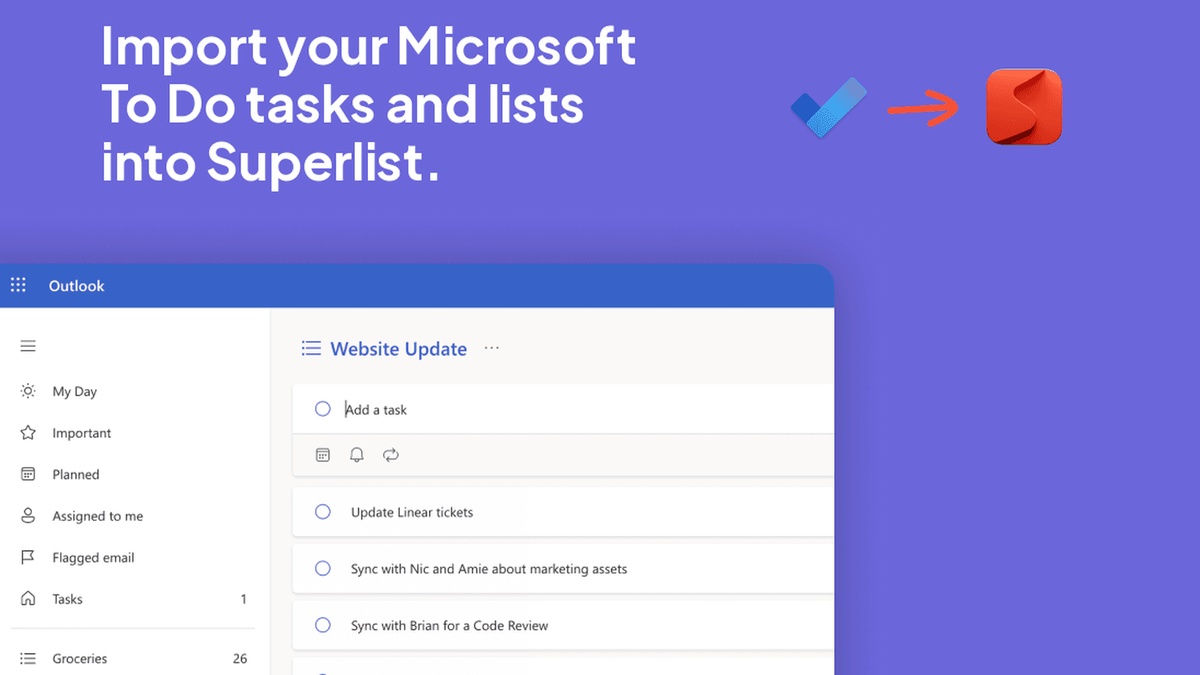
With Microsoft now shuttering the very software that replaced Wunderlist, Reber and his team at Superlist are welcoming back legacy users. Rather than relying on static export files, Superlist facilitates a smooth Microsoft To Do Migration using real-time bi-directional synchronization.
This live integration allows productivity enthusiasts to connect their Microsoft accounts directly inside Superlist application settings. Users select specific lists to synchronize, enabling parallel usage across both interfaces while gradually preparing their long-term Microsoft To Do Migration strategy.
Comparing technical parameters between static migration tools and continuous synchronization bridges reveals distinct functional trade-offs for power users. The architectural evaluation below contrasts data preservation, schema handling, and recurring task fidelity across leading transition pathways.
| Migration Route | Authentication Protocol | Subtask Preservation | Attachment Retention | Recurrence Mapping | Sync Latency |
|---|---|---|---|---|---|
| Todoist Importer | OAuth 2.0 (Read-Only) | Converts to Nested Tasks | Plan Limit Dependent | Maps to Standard Loops | One-Time Batch (Minutes) |
| Superlist Bridge | OAuth 2.0 (Read/Write) | Direct Item Mapping | Synced via Cloud Links | Due Dates Synchronized | Continuous Real-Time |
| Microsoft Export | Internal Graph API | Full Raw JSON Array | Original Binary Files | Native ICS Recurrence | Manual Download Queue |
| Manual CSV Transfer | Local File Ingestion | Requires Custom Scripting | Excluded from CSV Data | Text Field Conversion | Instantaneous Local Parse |
| TickTick Engine | Web Import Credentials | Hierarchical Checklist | Subscription Restricted | Advanced Recurrence Rules | One-Time Batch (Minutes) |
These technical benchmarks illustrate why continuous synchronization provides a smoother operational runway than abrupt batch conversions. Maintaining active synchronization between platforms guarantees that collaborative family lists continue functioning during ongoing software evaluation.
Under Superlist’s synchronization protocol, task titles, completion statuses, due dates, and list categories update instantly across both platforms. Creating a new entry in To Do immediately reflects in Superlist, eliminating duplicate tracking during the transitional trial phase.
Superlist also combines traditional task management with modern collaborative note-taking, enabling users to embed interactive checklists directly within rich-text documents. This hybrid approach appeals strongly to creative professionals who find rigid task lists insufficient for nuanced project planning.
Embracing this flexible synchronization pipeline delivers a low-risk Microsoft To Do Migration path, giving users ample runway to adjust their daily routines. Power users can thoroughly stress-test Superlist’s features over several months before permanently disconnecting their legacy Microsoft credentials.
Technical Constraints Across Microsoft To Do Migration Paths
While modern automated importers substantially lower transition friction, technical constraints inevitably arise when converting proprietary database schemas across distinct platforms. A successful Microsoft To Do Migration requires understanding which metadata fields transfer flawlessly and which attributes require manual adjustments.
The primary bottleneck involves recurring task schedules configured with complex cadences, such as tasks repeating on specific weekdays each month. Third-party importers typically flatten unsupported recurrence rules into one-time tasks, necessitating manual reconfiguration within the new application.
File attachments and embedded audio clips represent another critical operational challenge during automated transfers. Cloud storage boundaries and free-tier payload limitations often prevent large documents from transferring, causing importers to omit files exceeding account quotas.
Furthermore, specialized features such as To Do’s intelligent ‘My Day’ daily planning view lack direct architectural equivalents in competing tools. Users executing a Microsoft To Do Migration must adapt to alternative daily prioritization mechanisms, such as Todoist’s ‘Today’ filter or Superlist’s unified inbox.
Shared list permissions also experience disruption during data relocation, as external collaborators cannot be automatically reassigned across distinct authentication domains. Group lists must be re-shared by inviting team members through native platform email invites after initial data ingestion completes.
Taking time to conduct a thorough pre-migration audit ensures that critical project notes, historical completion logs, and attachments remain fully accounted for. Methodical planning transforms your Microsoft To Do Migration into an opportunity to refine personal productivity habits.
Enterprise Planner Transition Versus Standalone Productivity Suites
Corporate enterprises and educational institutions face an entirely distinct set of logistical challenges throughout this multi-year decommissioning cycle. For commercial tenants, the Microsoft To Do Migration occurs automatically under the hood as Microsoft consolidates task databases into Planner Substrate.
This consolidation merges individual task management with enterprise project boards, Microsoft Teams channels, and Outlook desktop calendar feeds. While unified data access benefits organizational oversight, individual knowledge workers may find Planner’s enterprise interface more complex than To Do’s simple lists.
IT administrators must proactively configure access policies, conditional access controls, and retention rules to prepare internal staff for the Planner transition. Ensuring that frontline workers understand updated mobile interfaces prevents productivity slowdowns when legacy desktop applications finally stop authenticating.
Conversely, smaller businesses and solopreneurs may find that commercial Planner subscriptions offer poor value compared to nimble standalone productivity apps. For independent operators, executing an external Microsoft To Do Migration toward Todoist or Superlist often yields greater daily efficiency.
Standalone task applications prioritize rapid keyboard navigation, lightning-fast offline caching, and responsive natural language task entry. These specialized strengths contrast sharply with heavy enterprise collaboration portals that often suffer from sluggish loading times on mobile devices.
Evaluating organizational workflow complexity allows technology leaders to determine whether embracing Planner or executing an external Microsoft To Do Migration best serves team productivity. Planning your transition roadmap well before the 2027 deadline ensures uninterrupted operations across every department.
Frequently Asked Questions
When will Microsoft To Do officially shut down?
Microsoft To Do will officially retire on June 30, 2027. Microsoft announced that enterprise users will transition to Microsoft Planner, while personal account holders will receive data export options before services terminate permanently.
Will personal Microsoft 365 subscribers receive a replacement app?
No native consumer replacement has been announced for personal or family Microsoft 365 accounts. Personal users must execute an external Microsoft To Do Migration to third-party task platforms like Todoist or Superlist to preserve lists.
How does the Todoist Microsoft To Do importer work?
Todoist streamlines your Microsoft To Do Migration with a free automated web importer that connects via read-only OAuth to your Microsoft account. It copies all task lists, subtasks, and deadlines directly into Todoist projects without modifying original Microsoft data.
Can Superlist keep my Microsoft To Do lists synchronized?
Yes, Superlist provides an active bi-directional integration that keeps tasks synchronized in real-time between both apps. Changes made in Superlist reflect in Microsoft To Do and vice versa, enabling a gradual, low-stress transition.
What happens to recurring tasks and attachments during migration?
Standard daily and weekly recurrence patterns transfer cleanly, but complex custom schedules often convert to one-time tasks. File attachments may be skipped if they exceed free tier storage limits on the destination platform.
Long-Term Productivity Verdict: Selecting the Best Successor
The upcoming retirement of Microsoft To Do marks the conclusion of an era that originated with the beloved Wunderlist app. Navigating a successful Microsoft To Do Migration requires choosing between enterprise integration inside Planner or nimble agility through modern independent alternatives.
For power users demanding rapid capture and deep ecosystem integration, Todoist remains the premier standalone replacement thanks to its mature importer. Meanwhile, Superlist delivers an elegant, flexible canvas bolstered by continuous two-way synchronization that honors Wunderlist’s original product vision.
With generous runway leading up to the June 30, 2027 sunset, productivity enthusiasts have ample opportunity to test potential replacements. Initiating an early Microsoft To Do Migration guarantees that your personal workflows and shared family lists remain resilient and organized.
