


Table of Contents
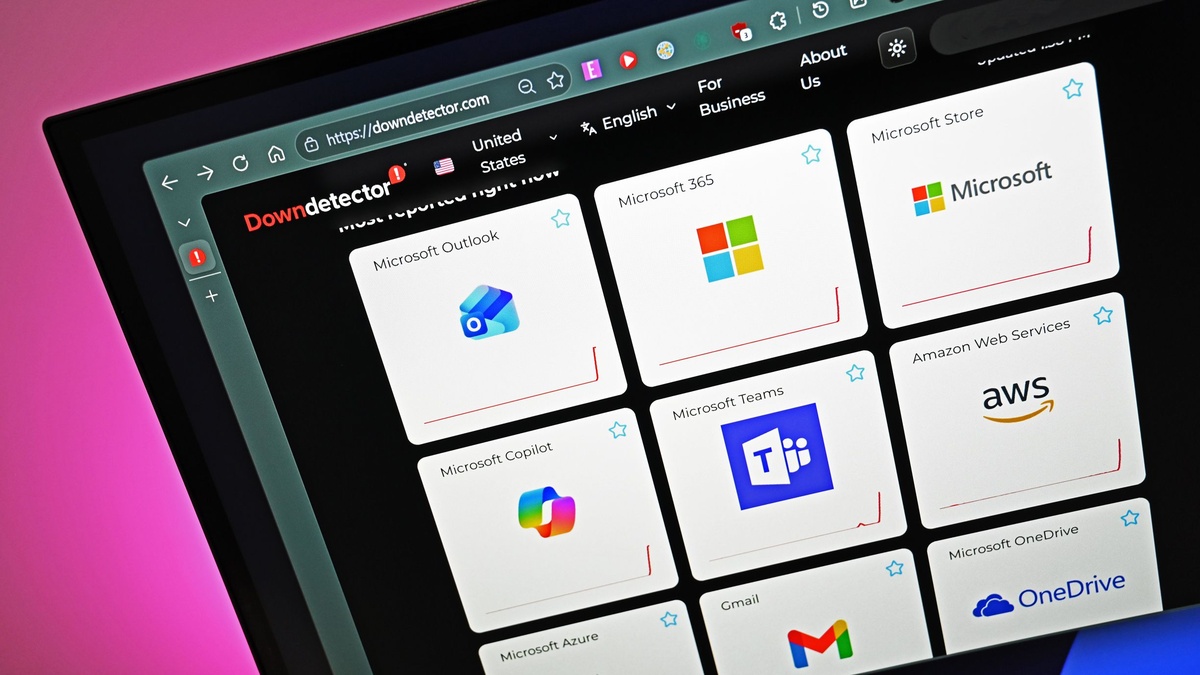
Following widespread global disruptions across Exchange Online and Outlook, an aggressive Microsoft 365 Phishing Scam is actively targeting corporate tenants worldwide. Threat actors are weaponizing service downtime notifications to panic employees into surrendering their enterprise credentials before missing critical business communications.
According to urgent threat analysis highlighted by Neowin, the sophisticated Microsoft 365 Phishing Scam spoofs authentic service health alerts to bypass human scrutiny. Cybercriminals capitalize on administrative uncertainty by fabricating urgent message retrieval warnings that lead directly to adversary-controlled harvesting portals.
| Operational Vector | Authentic Microsoft Protocol | Malicious Campaign Variant | Exploitation Mechanism | Detection Signature |
|---|---|---|---|---|
| Notification Delivery | Direct Admin Center Message Center | Direct-to-User Phishing Emails | Spoofed System Sender Headers | Mismatched SPF / DKIM Records |
| Service Health Identifier | Cryptographic Tenant GUID Verification | Harvested Incident Numbers (EX1550543) | Contextual Social Engineering | External Non-Tenant Domain Paths |
| Message Remediation | Automated Background Cloud Sync | Urgent 24-Hour Manual Action Demanded | Manufactured Deadline Anxiety | Hidden Zero-Font Body Text |
| Authentication Target | Official login.microsoftonline.com | Adversary-in-the-Middle Reverse Proxies | Session Cookie and Token Theft | Third-Party Mail Redirects |
| Resolution Procedure | Automated Service Health Dashboard | External Credential Phishing Landing Page | Fake O365 Single Sign-On Portals | Anomalous Geolocation Logins |
Outage Exploitation: How the Microsoft 365 Phishing Scam Capitalizes on Chaos
When unexpected cloud downtime paralyzes corporate productivity, the resulting information void creates ideal operating conditions for the Microsoft 365 Phishing Scam. As administrative queues experience severe delays, non-technical enterprise staff frequently search for secondary methods to verify whether pending customer inquiries reached corporate mailboxes successfully.
Adversaries recognized this operational vulnerability during recent twenty-four-hour disruptions that disabled core collaboration services worldwide. By drafting fake service health advisories that mimicked standard Microsoft tenant notifications, cybercriminals successfully deceived thousands of anxious recipients into initiating fraudulent account verification sequences.
The rapid emergence of the Microsoft 365 Phishing Scam highlights how modern cyber syndicates align social engineering attacks with public infrastructure failures. Instead of relying on generic banking lures, attackers continuously monitor public service dashboards to construct convincing contextual pretexts that disarm standard employee skepticism.
Corporate telecommunications and corporate messaging systems frequently delay critical transactional data during major gateway outages. Threat actors exploit this operational lag by convincing personnel that incoming supplier orders and confidential executive correspondence remain trapped within quarantined cloud holding areas.
Threat intelligence centers indicate that the outage phishing wave targeted diverse enterprise sectors. Organizations preparing for hardware refreshes—such as teams deploying the Apple M4 Mac Mini redesign specifications—remain especially vulnerable during transition windows.
Understanding this attack vector requires examining the specific psychological triggers embedded within the fraudulent transmissions. Attackers understand that fear of business interruption overrides standard operational protocols, prompting otherwise cautious employees to disregard conventional safety warnings during chaotic outage windows.
The 24-Hour Threat Lure: Weaponizing Fake Message Deletion Notifications
The primary social engineering mechanism powering this campaign is a fraudulent message delivery failure notice containing an artificial deadline. Recipients receive urgent notifications warning that several incoming business messages were sequestered due to recent cloud synchronization failures across distributed regional server clusters.
In these deceptive transmissions, the Microsoft 365 Phishing Scam warns that unreleased messages face deletion within twenty-four hours. This artificial urgency prevents victims from consulting IT help desks, coercing immediate engagement with credential-harvesting links under the guise of queue restoration.
Microsoft never issues automated consumer or enterprise emails threatening irreversible data destruction within arbitrary twenty-four-hour time windows. Legitimate Exchange Online maintenance operations manage deferred messages automatically, holding undelivered mail within resilient transactional databases until destination mailboxes restore normal operational capacity.
By incorporating authentic incident terminology, the Microsoft 365 Phishing Scam gains undeserved credibility among recipients who followed real-time news coverage. Scammers explicitly cited official Exchange Online tracking identifiers, misleading personnel into believing the warning originated from Microsoft core engineering operations rather than external threat groups.
The deceptive email template includes polished corporate iconography, simulated security badges, and fabricated case reference codes. These aesthetic touches effectively mimic genuine system alerts, tricking unsuspecting knowledge workers into trusting the illegitimate recovery instructions without inspecting underlying email transport headers.
Security training programs must emphasize that legitimate cloud providers resolve infrastructure bottlenecks autonomously without requiring manual user intervention. Any notification requesting authentication credentials to release pending messages represents an unambiguous indicator of active network compromise and aggressive credential harvesting.
Zero-Font and CSS Obfuscation: Hidden Email Content Evading Automated Filters
Beyond convincing social engineering, the Microsoft 365 Phishing Scam relies on sophisticated cryptographic and structural evasion tactics to defeat automated email gateways. Threat actors embed hidden textual blocks within the underlying HTML source code, successfully obfuscating the malicious intent from automated scanning algorithms.
Security researchers discovered extensive zero-font techniques and invisible CSS styling properties scattered across incoming phishing payloads. By setting font sizes to zero pixels or styling arbitrary conversational text with transparent colors, attackers conceal massive junk text paragraphs from human recipients.
While human victims see only clean administrative warnings, machine learning scanners analyzing the Microsoft 365 Phishing Scam parse seemingly benign conversations. These phantom dialogues dilute natural language scoring models, tricking automated Bayesian filters into classifying the entire message as routine peer-to-peer enterprise collaboration.
Furthermore, attackers fragment critical phishing terminology across discrete HTML table cells and disjointed division tags. This structural fragmentation prevents naive pattern-matching engines from detecting prohibited keyword combinations, allowing the phishing payloads to land safely inside employee inboxes.
This sophisticated evasion pipeline demonstrates why traditional signature detection cannot reliably mitigate this evasive threat. Modern cloud security architectures require dynamic rendering engines capable of evaluating DOM tree structures exactly as presented within client graphical viewports.
Organizations that fail to upgrade legacy mail inspection infrastructure leave their corporate perimeter open to advanced obfuscation schemes. Deploying deep visual analysis and heuristic behavioral inspection remains the only reliable defense against multi-layered email styling manipulation engineered by motivated cyber syndicates.
Credential Harvesting Mechanics: Dissecting the Microsoft 365 Phishing Scam Infrastructure
The primary architectural objective of the Microsoft 365 Phishing Scam is capturing high-privilege corporate credentials through deceptive authentication mirrors. When an unsuspecting victim clicks the message recovery link, the browser routes through encrypted redirect chains to a malicious landing portal.
These destination sites feature pixel-perfect replications of corporate Microsoft 365 login dialogs, complete with custom tenant branding and corporate logos. By leveraging adversary-in-the-middle reverse proxy servers, attackers intercept not merely static usernames and passwords, but live session authentication tokens.

Through reverse proxy interception, the Microsoft 365 Phishing Scam bypasses standard multi-factor authentication mechanisms like SMS codes and mobile authenticator prompts. Because the proxy relays live authentication handshakes directly to legitimate Microsoft servers, adversaries capture valid session cookies immediately upon user approval.
Once established within a victim’s session, cybercriminals execute automated reconnaissance scripts to catalog sensitive corporate data and internal directories. Attackers search SharePoint drives, OneDrive repositories, and confidential email threads, seeking financial records and proprietary intellectual assets for extortion or corporate espionage.
| Security Architecture Layer | Exploited Attack Surface | Adversary Tactic Observed | Recommended Enterprise Control | Validation Metric |
|---|---|---|---|---|
| Perimeter Ingress Gateway | Zero-Font HTML Injections | Natural Language Filter Spoofing | Heuristic DOM Tree Visual Scanning | Zero Bypassed Payloads |
| Authentication Interface | Reverse Proxy Interception | AiTM Session Cookie Harvesting | FIDO2 Phishing-Resistant Passkeys | 100% Token Hijack Rejection |
| Identity Access Governance | Stolen Session Persistence | Post-Auth Mailbox Data Scraping | Conditional Access Continuous Evaluation | Instant Revocation on Anomalies |
| Domain Name Infrastructure | SendGrid Reputation Abuse | Encrypted URL Redirection Hop | Strict Outbound URL Rewriting & DNS Sinkholes | Sub-Second Domain Isolation |
| Client Endpoint Telemetry | Browser Credential Entry | Unsanctioned External SSO Form Fills | Endpoint EDR Credential Guard Integration | Real-Time Process Blocking |
The technical sophistication driving this credential harvesting campaign underscores why legacy security baselines no longer suffice for modern corporate environments. Without hardware-bound authentication tokens and cryptographic channel binding, static password defenses collapse immediately when confronted by automated reverse proxy architectures.
Modern IT departments must treat credential harvesting not as an isolated endpoint incident, but as a potential precursor to network-wide ransomware deployment. Rapid identification of anomalous token usage remains essential to containing lateral movement before adversaries expand administrative privileges.
SendGrid Redirects and Lookalike Domains: The Anatomy of Infiltration Routing
An investigation into network infrastructure reveals that attackers systematically leveraged reputable third-party email delivery services to mask their operations. By abusing legitimate commercial routing systems, cybercriminals ensured high deliverability rates across corporate gateways configured to trust established bulk senders.
Campaign telemetry associated with the Microsoft 365 Phishing Scam confirms the extensive use of SendGrid tracking infrastructure and compromised digital marketing accounts. When security software inspects inbound links, initial queries resolve to trusted SendGrid endpoints, preventing immediate categorization as malicious threats.
Once a user initiates navigation, the trusted service triggers an automated HTTP 302 redirect, propelling the browser to secondary malicious domains. These target hosting environments include obscure domains such as moments-notice.com and newbooker.com, configured specifically to host cloned authentication screens.
Furthermore, perpetrators behind these deceptive operations registered lookalike domain portfolios mimicking regional Microsoft administrative portals. Subtle typographical variations and obscured top-level domain combinations frequently evade cursory inspection by rushed employees attempting to restore normal communications.
Infrastructure evasion tactics appear across numerous enterprise sectors, demanding constant perimeter surveillance. Whether defending corporate networks or managing workstation lifecycle transitions—as explored in our coverage on NVIDIA ending legacy Windows support for PC gamers—proactive technical maintenance remains vital.
Network administrators should implement automated domain categorization policies that instantly quarantine inbound traffic originating from newly registered domains. Restricting outbound access to unrecognized top-level domains dramatically reduces the likelihood of successful credential submission during active phishing runs.
Enterprise Defense Protocols: Neutralizing the Microsoft 365 Phishing Scam
Eradicating risks introduced by the Microsoft 365 Phishing Scam requires transitioning enterprise identity perimeters toward modern zero-trust security architectures. The most critical architectural countermeasure is mandating phishing-resistant multi-factor authentication across all tenant user accounts without exception.
Hardware-backed FIDO2 security keys and WebAuthn credentials establish cryptographic binding between the client browser session and legitimate login endpoints. Even if an employee enters their credentials into a cloned reverse proxy landing page, authentication attempts fail because cryptographic origin handshakes reject fraudulent domains.
In addition to hardware tokens, mitigating the Microsoft 365 Phishing Scam demands implementing strict Conditional Access policies inside Entra ID. Organizations should restrict administrative access to corporate-managed, compliant devices, preventing adversaries from utilizing harvested session tokens on unmanaged external machines.
Administrators must instruct all personnel to verify infrastructure status exclusively through the official Microsoft 365 Admin Center portal. Establishing rigid internal verification protocols eliminates reliance on email notifications, ensuring that technical personnel cross-reference public incident reports directly against verified service dashboards.
Continuous evaluation of identity risks represents another vital pillar in dismantling the Microsoft 365 Phishing Scam. By configuring Entra ID Identity Protection to flag anomalous user behavior, automated systems instantly terminate high-risk sessions originating from unfamiliar geographic locations or anonymous Tor exit nodes.
Combining hardware passkeys, strict conditional policies, and continuous session verification establishes a robust defense-in-depth posture. When security controls operate cohesively across cloud boundaries, opportunistic phishing schemes fail to achieve initial unauthorized access.
Mailbox Audit and Tenant Hardening: Post-Breach Containment and Conditional Access
When enterprise security teams suspect that an employee interacted with a fraudulent notification, rapid forensic containment prevents severe data exposure. Security analysts must initiate comprehensive audit log reviews to identify unauthorized sign-ins and investigate suspicious mailbox forwarding rules.
Threat actors capitalizing on the Microsoft 365 Phishing Scam frequently establish automated inbox forwarding rules immediately upon gaining account access. These malicious forwarding mechanisms silently redirect incoming executive emails to external drop boxes, allowing attackers to maintain persistence even after victims reset account passwords.
Security teams must leverage Exchange Online PowerShell cmdlets to audit transport rules and inspect tenant-wide OAuth application permissions. Attackers increasingly register deceptive third-party cloud applications, tricking users into granting sweeping mailbox read privileges under the guise of message recovery utilities.
If token compromise occurs during an outage phishing incident, administrators should immediately revoke all active refresh tokens via Entra ID. Forcing universal token invalidation instantly severs persistent attacker connections, requiring complete multi-factor re-authentication from verified corporate workstations.
Tenant administrators should also enforce external email tagging and disable unauthenticated SMTP client submission across corporate endpoints. Preventing legacy protocol handshakes eliminates common pathways used by cybercriminals to send internal phishing lures from compromised mailboxes.
By conducting rigorous mailbox hygiene and enforcing strict application consent policies, enterprises insulate core systems against the Microsoft 365 Phishing Scam. A well-maintained corporate tenant severely restricts lateral attacker movement, preserving corporate confidentiality during periods of broader public infrastructure instability.
Frequently Asked Questions
What is the Microsoft 365 Phishing Scam currently targeting organizations?
The Microsoft 365 Phishing Scam is a deceptive credential-harvesting campaign that exploits public cloud service outages. Attackers send spoofed messages claiming emails were hidden during server disruptions, coercing victims into submitting credentials through fake recovery portals.
Does Microsoft notify users about outages using the Microsoft 365 Phishing Scam format?
No, Microsoft never sends direct emails threatening irreversible deletion of held messages within a strict twenty-four-hour window. Official incident telemetry and maintenance advisories appear exclusively inside the authenticated Microsoft 365 Admin Center Message Center.
How do threat actors bypass automated email security filters in this attack?
Perpetrators behind the Microsoft 365 Phishing Scam embed invisible text styled with zero-pixel fonts and transparent CSS properties. These hidden passages dilute natural language scoring models, tricking automated mail scanners into treating phishing messages as routine business conversations.
How can enterprise administrators prevent breaches from the Microsoft 365 Phishing Scam?
Organizations should enforce phishing-resistant FIDO2 passkeys, configure Conditional Access to block untrusted devices, and disable automated external mailbox forwarding. Mandating hardware security tokens prevents reverse proxy infrastructure from hijacking active user authentication sessions.
What immediate actions should I take if an employee submitted their credentials?
If a user falls victim to the Microsoft 365 Phishing Scam, administrators must immediately revoke active session tokens in Entra ID, reset account passwords, audit mailbox forwarding rules, and check for unauthorized OAuth application permissions across corporate tenant directories.
Final Verdict: Proactive Identity Resilience Against Outage-Driven Cyber Threats
The emergence of this aggressive Microsoft 365 Phishing Scam serves as a stark reminder that cyber syndicates continuously evolve social engineering tactics around real-world infrastructure failures. Disregarding traditional boundaries, modern threat groups rapidly convert public downtime into lucrative credential-harvesting opportunities.
Enterprise resilience against opportunistic phishing requires moving beyond basic employee awareness training toward comprehensive cryptographic identity protection. Implementing phishing-resistant authentication models, continuous session evaluation, and automated mailbox monitoring successfully neutralizes the deceptive advantages exploited by modern threat campaigns.
By establishing disciplined verification routines and securing corporate endpoints against reverse proxy interception, organizations safeguard critical assets from the Microsoft 365 Phishing Scam. Maintaining architectural vigilance ensures that enterprise operations remain resilient against opportunistic cyber threats, even during widespread cloud service disruptions.
