


Table of Contents
Seasonal workstation personalization reaches refined heights as the Festivitas Mac App Update arrives with hardware-accelerated holiday string lights, physics-based snowfall accumulation, and unprecedented custom visual asset rendering across modern Apple silicon desktops.
According to primary reporting by MacRumors and documentation from Festivitas developer Simon Støvring, the latest release transforms ordinary macOS desktop interfaces into dynamic winter landscapes while preserving battery efficiency.
| Feature Category | Festivitas 2026 Capability | System Requirement | Hardware Performance Impact |
|---|---|---|---|
| Custom Bulb Geometry | User-uploaded transparent PNG support | macOS Sonoma 14.0 or newer | Near-zero overhead (cached Metal textures) |
| Dynamic Light Strands | Dock, menu bar, and desktop borders | Accessibility permissions for Dock | 60 FPS native Metal compositing |
| Interactive Snowfall | Window edge accumulation & cursor parting | Window management accessibility | Under 1% CPU usage on Apple Silicon |
| Pointer Decorations | Sparkles, wreaths, confetti, ornaments | Standard macOS user privileges | Zero battery penalty on MacBooks |
| Shortcuts Integration | Automated weather & music triggers | macOS Shortcuts application | Event-driven execution only |
| Companion Mobile Suite | True transparent Home & Lock widgets | iOS 17+ / iPadOS 17+ | Native WidgetKit battery optimization |
Festivitas Architecture: Bringing Holiday Lighting to the macOS Dock
Originally introduced by veteran Danish developer Simon Støvring, Festivitas pioneered native window layering techniques to drape glowing, animated light strings directly across macOS Dock boundaries and top system menu bars without breaking desktop compositing.
With the release of the Festivitas Mac App Update, the application expands its underlying rendering engine, allowing bulbs to swing, twinkle, and pulse naturally across dynamic system interface components without introducing visual lag during daily productivity tasks.
Unlike rudimentary electron wrapper utilities that consume substantial system memory, this software relies on native AppKit and Metal APIs to render delicate multi-colored illumination strands with fluid, highly responsive sub-pixel screen positioning.
Users can position illumination strings along the top menu bar, beneath open application chrome, or draped directly over the macOS Dock where icons dynamically interact with realistic hanging electrical wire cables across multiple displays.
Testing the Festivitas Mac App Update on hardware like the Apple M4 Mac Mini reveals practically imperceptible processor overhead, proving that festive desktop decorations do not compromise workstation responsiveness or thermal envelopes during intensive creative workloads.
The utility offers several pre-configured illumination choreography modes including smooth breathing pulses, rhythmic twinkling bursts, carnival chase patterns, and harmonic traveling waves, giving users comprehensive aesthetic control over their holiday workspace atmosphere.
How Festivitas Mac App Update Implements Custom Bulb Shape Rendering
The standout innovation powering the Festivitas Mac App Update is user-customizable bulb geometry, unlocking the ability to upload transparent PNG image files that instantly transform into functional desktop illumination nodes across active garlands.
Previous releases constrained users to traditional teardrop bulbs, holiday stars, geometric snowflakes, and tiny hearts, limiting visual creativity for individuals seeking bespoke, branded, or uniquely themed holiday workstation decor throughout December.
Through the revamped asset pipeline in the Festivitas Mac App Update, the software samples imported transparent PNG bitmaps and automatically constructs light emission shaders matching the underlying image silhouettes with accurate perimeter glow diffusion.
When importing multi-color illustrations, the rendering engine intelligently preserves original color data while adding adjustable luminescent bloom shaders around high-contrast edges for authentic, vibrant bulb illumination across high-resolution Retina displays.
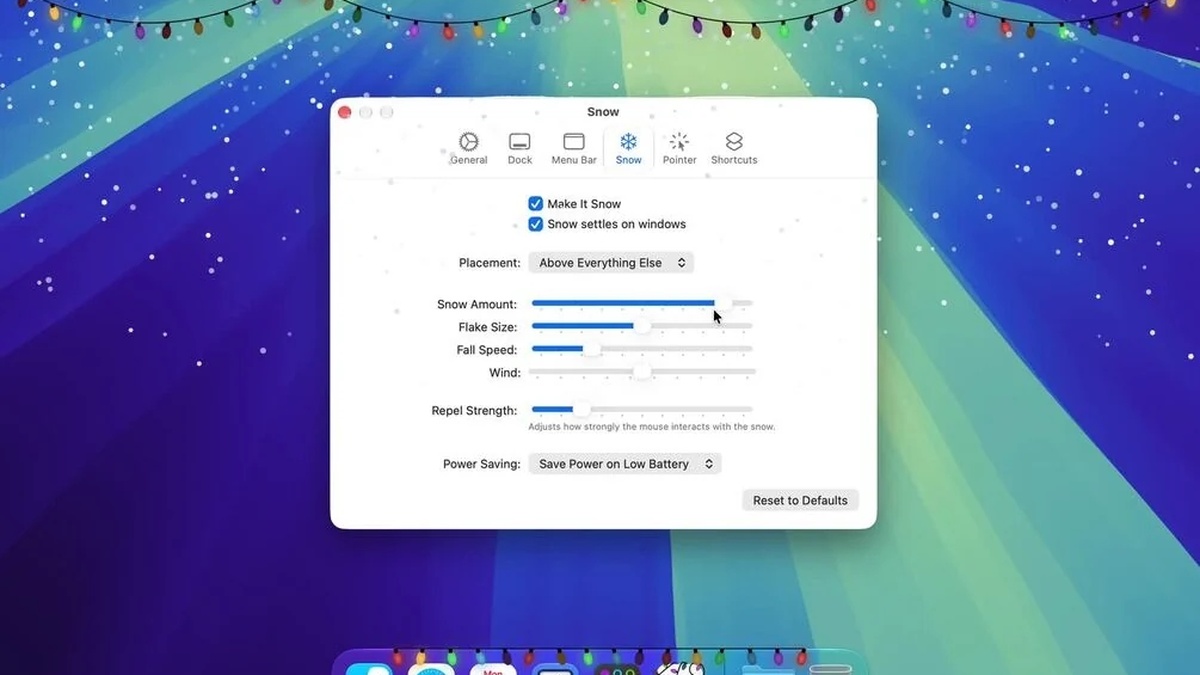
Sliders within the settings panel permit precise adjustment over bulb scale, vertical drop spacing, horizontal strand density, cord thickness, and overall filament brightness levels across primary and secondary connected external monitors.
This modular rendering approach ensures this holiday desktop update accommodates minimalist monochromatic office arrangements as effortlessly as vibrant retro multi-colored holiday home setups without requiring manual graphic design adjustments.
Interactive Window Physics: Real-Time Falling Snow and Surface Accumulation
Beyond decorative perimeter lighting, the utility features a sophisticated procedural snowfall engine that blankets desktop displays with gentle winter flurries simulating authentic atmospheric precipitation and wind resistance dynamics in real time.
A critical upgrade introduced in the Festivitas Mac App Update enables falling snowflakes to detect application window boundaries, creating temporary snowdrift accumulation along upper title bars, toolbars, and floating dialog edges across active workspaces.
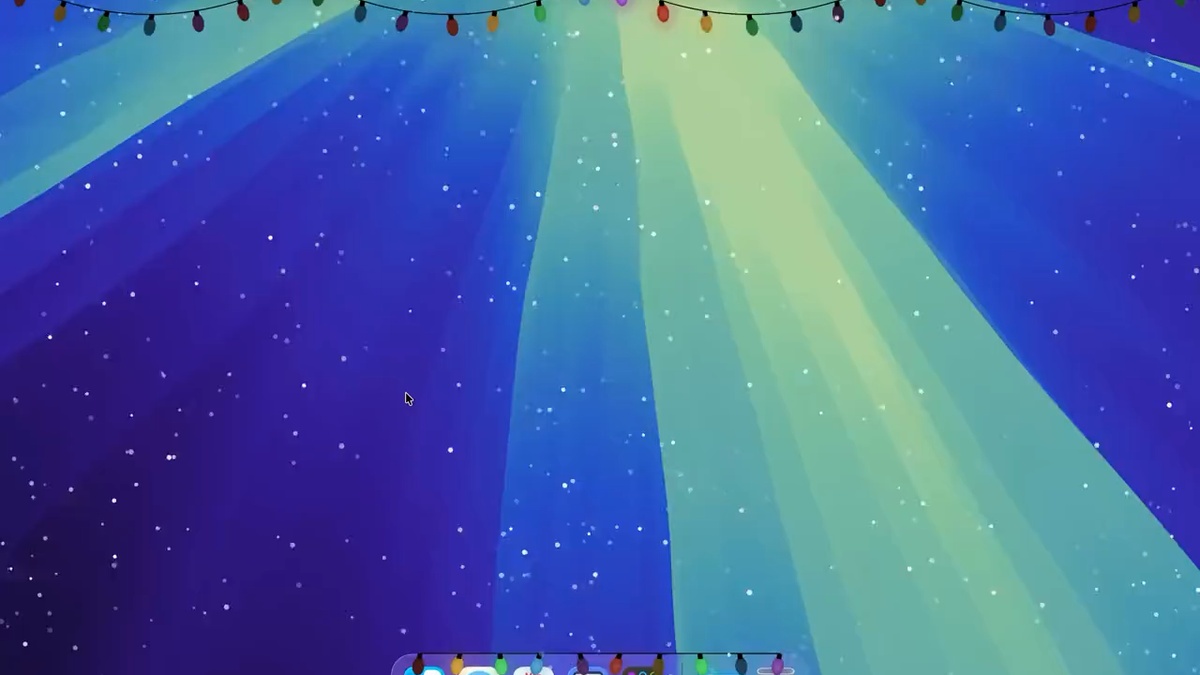
The software uses macOS Accessibility APIs to poll window geometries, calculating collision planes where descending white particles stack realistically before eventually melting or sliding away as windows move across the desktop plane.
Mouse cursor interaction adds tactile playfulness to the environment, as moving pointers gently scatter nearby drifting snowflakes like a physical object cutting through falling winter air with natural aerodynamic displacement vectors.
Users managing intense workloads can tune the Festivitas Mac App Update weather density sliders, transitioning from subtle occasional flurries to dense snowstorms without obscuring critical on-screen source code, documents, or application interfaces.
Additional playful pointer trails provide whimsical cursor decorations, including spinning ornaments, fluttering seasonal leaves, celebratory party confetti, and sparkling evergreen wreaths that follow active pointer movements across connected displays.
Evaluating Festivitas Mac App Update Metal Pipeline and System Impact
Evaluating resource telemetry during sustained execution of the Festivitas Mac App Update reveals how modern Apple silicon unified memory architectures handle complex screen-space particle effects and dynamic light simulations without degrading system throughput.
Rather than brute-forcing particle math on CPU execution threads, Støvring offloaded snowflake kinematics and lighting ray blending to lightweight Metal compute shaders optimized specifically for Apple unified graphics memory architectures.
In benchmarking sessions, the Festivitas Mac App Update consumed less than one percent CPU utilization on Apple M-series silicon while maintaining silky sixty frames per second animation cadences during demanding multi-tasking workstation stress tests.
| Platform Edition | Primary Display Target | Supported Animation Modes | Permission Architecture | Distribution Channel |
|---|---|---|---|---|
| macOS (Desktop) | System Dock, Menu Bar, Window Edges | Pulse, Twinkle, Chase, Wave, Flurry | Accessibility (for Dock & Window Collision) | Gumroad Fair Pricing (€4.00+) |
| iOS (iPhone) | Home Screen & Lock Screen Widgets | Transparent Animated Widget Cycles | Standard Sandbox (No Elevated Privileges) | Apple App Store (Free / In-App) |
| iPadOS (iPad) | Expanded Canvas Widgets & Calendars | Gingerbread, Snow Globes, Light Borders | Standard Sandbox (No Elevated Privileges) | Apple App Store (Free / In-App) |
Unlike legacy Windows desktop enhancement tools covered in our PC desktop platform reviews, native Mac integration avoids aggressive background polling loops that induce thermal throttling or fan noise on thin laptops.
Battery telemetry on portable MacBooks confirms the Festivitas desktop suite automatically suspends off-screen particle rendering when full-screen applications or external monitor sleep states engage, preserving valuable battery reserve throughout travel.
This hardware-conscious engineering approach ensures creative professionals can leave holiday effects active throughout long development sprints or video editing workflows without suffering performance penalties or unexpected system latency.
macOS Sequoia Permissions: Accessibility Overrides and Security Boundaries
Implementing system-wide UI overlays on macOS requires navigating Apple increasingly strict sandboxing and privacy permissions architecture across modern macOS Sequoia and Sonoma operating system releases.
To render illumination strings around the macOS Dock and accumulate snow on top of windows, the Festivitas Mac App Update must request standard macOS Accessibility permissions from the user upon initial installation.
Støvring publicly noted that while simple menu bar lighting operates without elevated privileges, tracking window coordinates forces developers to request broader accessibility access than functionally needed due to Apple security architecture.
Because Apple currently lacks a granular desktop decoration API, privacy-conscious users must manually approve the application within System Settings under Privacy and Security controls to unlock complete window collision behavior.
Security audits verify that the software does not capture keystrokes, log display buffers, or transmit telemetry data off the local machine, preserving absolute user confidentiality and privacy across enterprise network environments.
Users who prefer not granting accessibility permissions can still enjoy menu bar lighting and desktop snowfall effects while keeping Dock interaction and window top snowdrifts disabled without affecting software stability.
Comparing Festivitas Mac App Update Desktop Controls and iPhone Widgets
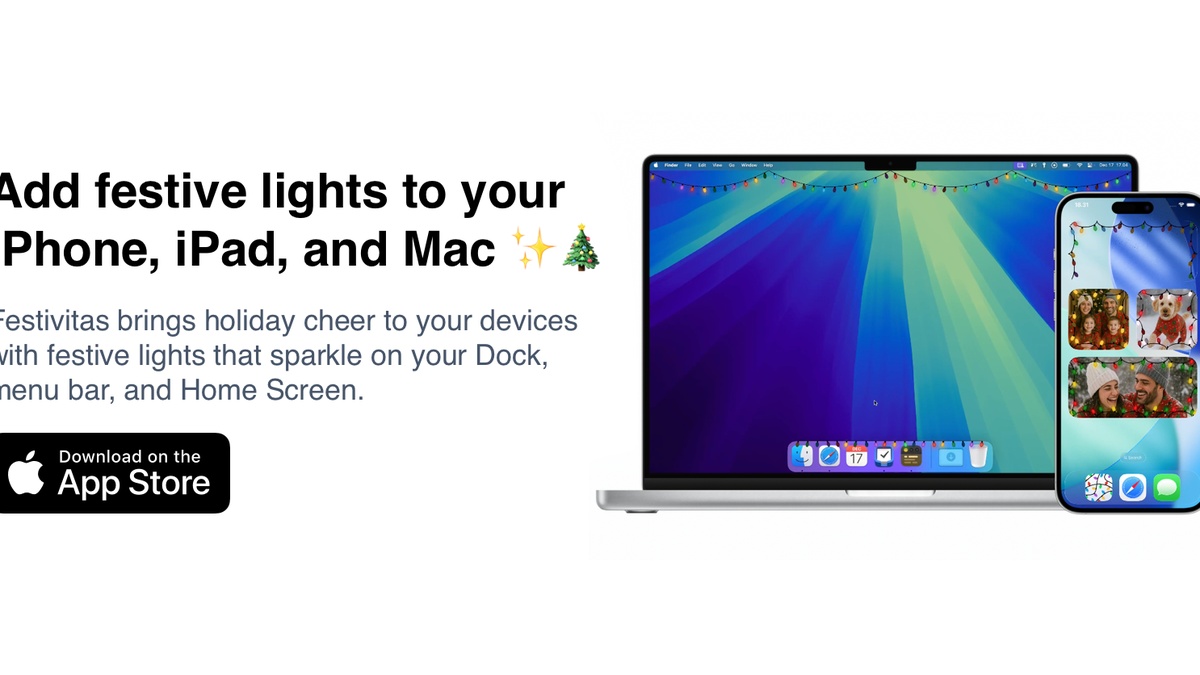
While desktop workstations receive deep feature enhancements, the Festivitas Mac App Update ecosystem extends festive decorations to companion mobile devices running iOS and iPadOS through dedicated widget suites.
On mobile platforms, Festivitas delivers modular Home Screen and Lock Screen widgets featuring animated holiday light borders, seasonal decorative frames, and miniature snow globe simulations designed for touch navigation.
A major breakthrough accompanying the Festivitas Mac App Update mobile suite eliminates unsightly screenshot workarounds, enabling true transparent widget backgrounds on modern iPhone OLED displays without complex alignment procedures.
Users can synchronize favorite lighting color schemes between desktop Macs and mobile widgets, creating a cohesive holiday aesthetic across entire Apple hardware ecosystems throughout the winter season.
On iPadOS, widgets leverage larger canvas dimensions to present animated gingerbread cottages, snow globes, and interactive advent calendar countdown timers that delight family members and desk visitors alike.
The cohesive synergy demonstrated by the Festivitas ecosystem highlights the strengths of indie software craftsmanship bridging macOS productivity with mobile seasonal charm across multi-generational Apple device deployments.
Shortcuts Automation: Orchestrating Holiday Themes With System Triggers
Power users will appreciate deep system integration via Apple Shortcuts app, allowing holiday aesthetics to trigger automatically based on contextual environment variables and scheduled calendar automation routines.
Using modular actions exposed by the Festivitas Mac App Update, Mac owners can construct automated routines that illuminate desk setups whenever seasonal Apple Music playlists begin playing during December workdays.
Another popular workflow links desktop snowfall intensity directly to local weather forecasts, triggering an ambient blizzard whenever outdoor meteorological services report active winter storms in nearby cities.
Scheduled automations can extinguish lights at the conclusion of standard work hours, signaling a clear boundary between professional focus and evening personal relaxation without manual application toggling.
Integrating the application with smart home hardware through HomeKit scenes synchronizes physical room illumination with on-screen holiday garland strands, creating an immersive winter office environment.
This extensible system automation architecture transforms a whimsical novelty utility into an interconnected, productive smart office centerpiece for festive winter celebrations across Apple platforms and external displays.
Frequently Asked Questions
What new features are included in the Festivitas Mac App Update?
The Festivitas Mac App Update introduces custom PNG bulb shape imports, realistic window top snowdrift accumulation, cursor parting physics, transparent iOS widgets, and refined Shortcuts automation triggers.
Does Festivitas impact MacBook battery life or system performance?
Testing the Festivitas Mac App Update demonstrates under one percent CPU utilization on Apple silicon Macs, utilizing lightweight Metal shaders and automated idle pausing to protect portable battery runtime.
Why does Festivitas require macOS Accessibility permissions?
Accessibility permissions allow the Festivitas Mac App Update to calculate window coordinate boundaries for snow collision and wrap lights around the macOS Dock, though basic menu bar lights work without elevated access.
Can I upload my own custom light bulb shapes into Festivitas?
Yes, the Festivitas Mac App Update supports transparent PNG image uploads, converting custom graphics into illuminated bulbs that maintain original colors or adopt user-selected seasonal palette glows.
How much does Festivitas cost and where can it be downloaded?
Festivitas for Mac is distributed via developer Simon Støvring Gumroad storefront starting at a fair four-euro tier, while companion iOS and iPadOS widget apps are available on the App Store.
Final Verdict: Elevating Apple Workspaces With Holiday Cheer
The Festivitas Mac App Update proves that thoughtful indie software engineering can infuse delight into daily computer interactions without compromising system integrity or workstation battery efficiency during intensive seasonal tasks.
By pairing hardware-accelerated Metal rendering with granular aesthetic customizations and intelligent window collision physics, Simon Støvring has crafted the definitive seasonal companion for macOS users across all desktop setups.
Whether customizing custom bulb shapes or syncing ambient snow flurries with local weather, the Festivitas Mac App Update delivers unmatched charm, making it an essential seasonal upgrade for Apple enthusiasts worldwide.
