


Table of Contents
Apple has officially rolled out a landmark update incorporating Final Cut Pro MotionVFX tools directly into its flagship video editing suite. Available exclusively to Apple Creator Studio subscribers, this release marks a pivotal consolidation of industry-standard visual effects directly within the native macOS post-production ecosystem.
According to primary reporting from MacRumors, this native deployment follows Apple’s strategic corporate acquisition of the motion design specialist earlier this year. Editors adopting the modern Final Cut Pro MotionVFX environment receive instant access to premium broadcast animations without managing third-party license installers.
| Feature & Architectural Spec | Final Cut Pro MotionVFX (Creator Studio) | Final Cut Pro Perpetual ($299) | Standalone MotionVFX Plugin Suite |
|---|---|---|---|
| Core Asset Integration | Native In-App Popout Window | Excluded (Requires Upgrade) | External Installer App / Daemons |
| Motion Graphics & Titles | Thousands of Native 4K Templates | Stock Apple Bundled Presets | Purchased Per-Plugin Pack |
| Planar 3D Surface Tracking | Hardware-Accelerated Metal Engine | Basic Point / Object Tracker | mTracker 3D (Separate License) |
| Image Round-Trip Integration | Bidirectional Pixelmator Pro Bridge | Manual File Export & Reimport | Not Applicable |
| Curated Content Hub Media | Included Unlimited Commercial Stock | Excluded (Requires External Stock) | Separate Stock Marketplace Fees |
| Timeline Storyline Controls | Detachable Magnetic Storylines | Standard Connected Clips | Not Applicable |
Native Architecture: How Final Cut Pro MotionVFX Integrates Into the macOS Pipeline
The deep integration of Final Cut Pro MotionVFX eliminates the historical friction of managing third-party plugin managers and background licensing daemons. Video editors can now launch the full graphical library directly from a dedicated button embedded inside the primary editing workspace.
By compiling motion templates natively against Apple silicon Metal compute shaders, real-time timeline playback performance experiences substantial speedup. Complex motion graphic compositions render instantaneously on unified memory architectures, avoiding memory copying bottlenecks between separate discrete graphical buffers.
Much like the high-bandwidth memory advantages analyzed in our Apple M4 Mac Mini redesign performance breakdown, the Final Cut Pro MotionVFX pipeline leverages unified memory to stream ProRes video streams and intricate motion graphics simultaneously without dropping render frames.
The embedded library window allows creators to scrub through hundreds of animated typographic layouts, cinematic lower thirds, and transitions with zero hover delay. Real-time GPU caching ensures instant visual previews directly mapped over current project playhead coordinates.
In earlier standalone installations, third-party plugin version mismatches frequently caused project corruption when opening collaborative project libraries across multiple editing suites. Incorporating native motion graphics into the core application bundle completely resolves dependency drift across shared editorial networks.
Professional colorists and motion designers will appreciate that all procedural generator parameters remain fully exposed within the native Final Cut Pro inspector sidebar. Users can tweak font tracking, chromatic aberration intensity, and motion blur samples using familiar interface sliders.
Surface Tracking and Depth: Anchoring 3D Titles and Visual Assets in Live Footage
Sophisticated computer vision algorithms represent one of the most transformative additions introduced in this latest studio software deployment. Video editors using Final Cut Pro MotionVFX can now effortlessly attach three-dimensional text and graphical elements to moving surfaces within dynamic footage.
The underlying planar tracking engine analyzes perspective shifts across planar objects like brick walls, vehicle panels, and street signs with millimeter precision. Graphical assets automatically adhere to spatial coordinates, naturally mirroring camera tilt, panning acceleration, and focal length changes.
Furthermore, the integrated scene depth analyzer creates multi-layer spatial occlusion maps directly from ordinary camera video streams. By calculating parallax depth fields, Final Cut Pro allows titles to drift organically behind walking actors and foreground objects without requiring manual rotoscoping masks.
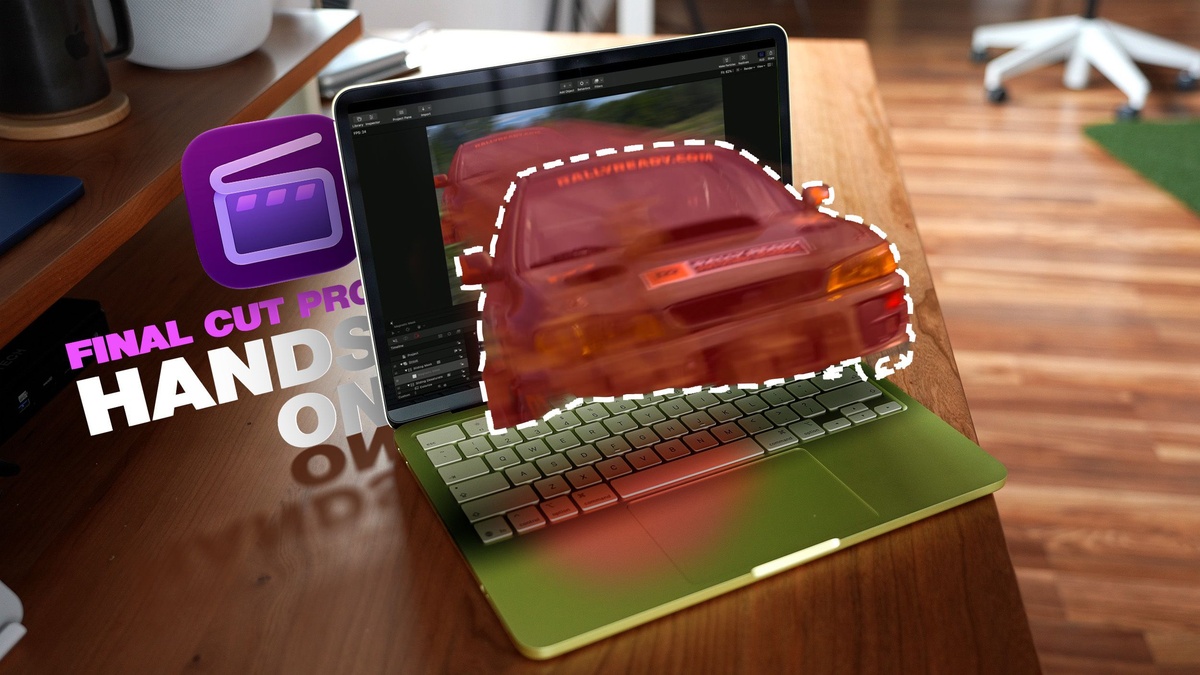
Subject masking tools have been heavily overhauled to assist digital content creators with swift graphic treatments. With a single click, producers can generate high-contrast character outlines, kinetic motion trails, and vibrant color glows that track subjects throughout moving shots.
Similar to modern workstation computational pipelines reviewed in our AMD Ryzen 7 9800X3D gaming processor analysis, leveraging dedicated Neural Engine cores enables lightning-fast tracking passes that complete in mere seconds rather than exhausting minutes.
Even static digital illustrations and flat raster photos can now be converted into animated multiplane scenes with authentic spatial depth. Editors can breathe dynamic movement into historical archival assets and documentary B-roll without launching external digital compositing suites.
Content Hub Ecosystem: Navigating Final Cut Pro MotionVFX Stock Video and Templates
Alongside specialized motion graphics, Apple has inaugurated a comprehensive Content Hub repository directly inside the production interface. Subscribers leveraging Final Cut Pro MotionVFX gain unlimited commercial access to thousands of curated 4K stock video sequences, high-resolution photography, and layered backgrounds.
This centralized asset library eliminates the tedious process of browsing external stock marketplaces and managing separate commercial royalty agreements. Media assets are cataloged using intelligent semantic tags, enabling editors to locate suitable background footage and graphical textures within seconds.
Every stock asset in the library includes pre-computed timeline color space metadata, ensuring accurate HDR and SDR tone mapping upon import. Creators utilizing the updated video editing workflow can drag high-frame-rate b-roll clips directly onto active timelines without manually adjusting Rec.709 gamma settings.
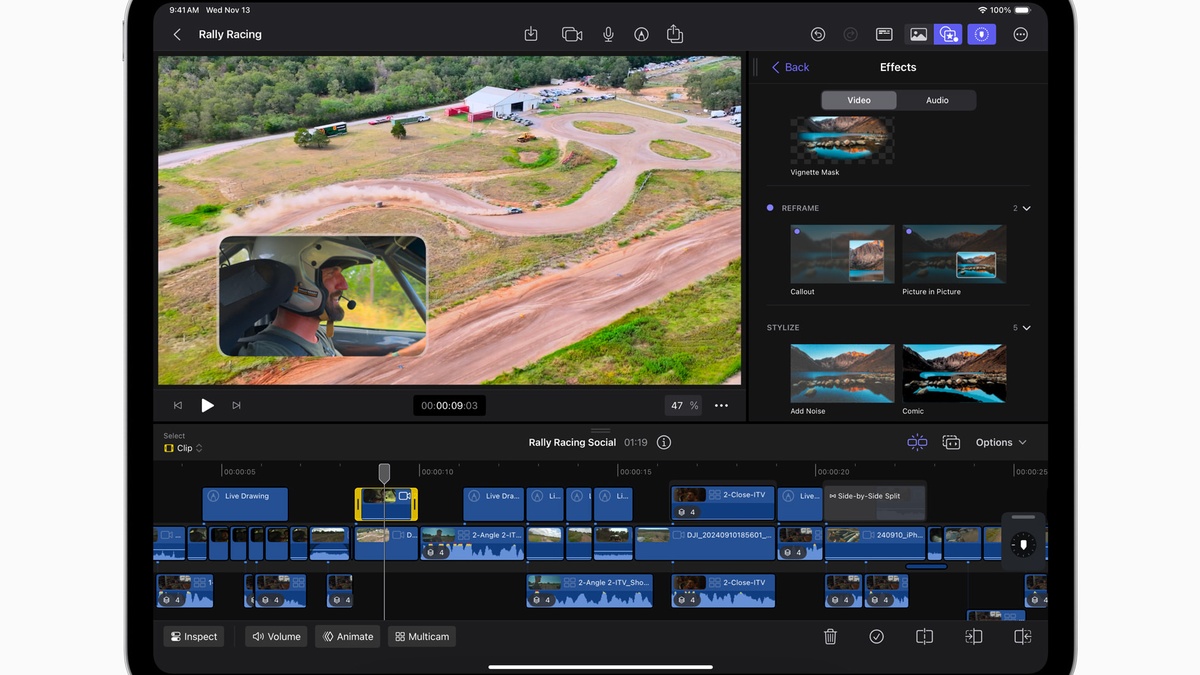
Integrated generative intelligence tools also allow producers to synthesize custom raster backgrounds and graphic elements using descriptive natural-language prompts. If a particular commercial scene requires a specific sunset horizon or abstract texture, Final Cut Pro synthesizes the graphic locally.
Audio creators also benefit from the hub’s expanded sound effects library, which contains thousands of foley recordings, atmospheric ambiences, and musical stingers. All sound assets are formatted as uncompressed 24-bit audio files, matching the pristine acoustics demanded by professional post-production.
The Content Hub continuously syncs new seasonal graphical themes and trending typography packages directly from Apple cloud servers. Video editors subscribing to Final Cut Pro MotionVFX always maintain cutting-edge visual aesthetics without purchasing pricey seasonal add-on packs.
Pixelmator Pro Round-Trip Workflow: Generative AI and Still Image Enhancement
Apple’s recent corporate acquisition spree has unified complementary creative software into an interdependent powerhouse. Editors working within the Final Cut Pro MotionVFX ecosystem can now invoke bidirectional round-trip image manipulation directly into Pixelmator Pro with a single contextual click.
Whenever a video project requires intricate retouching, clone stamping, or non-destructive raster vector adjustments, editors simply select Open in Pixelmator Pro. The target frame instantly opens inside Pixelmator with full color depth, preserving original color profiles and high-dynamic-range luminance.
Once artistic revisions are finalized, saving the file instantly updates the active video timeline without exporting intermediate TIFF or PNG batches. This seamless round-trip bridge ensures that active video projects maintain maximum image fidelity while slashing hours of tedious manual file management.
Users also gain direct access to Pixelmator’s machine learning powered Generate Fill capabilities to seamlessly remove unwanted boom microphones or background distractions. The neural inpainting algorithm synthesizes authentic surface textures that blend imperceptibly into surrounding photographic grain.
As explored during legacy operating system milestones in our Nvidia Windows 10 support retirement analysis, tight native software unification delivers unmatched long-term stability. Apple’s integrated creative suite sets a new benchmark for cross-application workflow ergonomics.
Layered vector badges created inside Pixelmator Pro also import into video projects as live resolution-independent graphics. When zooming into tight macro close-ups, graphics retain tack-sharp typography outlines without pixelation or raster staircasing artifacts.
Timeline Freedom: Mastering Storyline Detachment and Custom Animation Easing Curves
A longstanding complaint among seasoned video editors regarding the Magnetic Timeline has finally been addressed in this major software release. Editors harnessing Final Cut Pro MotionVFX can now detach clips from the primary storyline to reposition media freely across custom timeline lanes.
In prior versions, moving a central dialogue clip inadvertently triggered rippling shifts across secondary B-roll tracks, audio stems, and subtitle overlays. The new timeline detachment toggle decouples clips completely, allowing precise audio sync preservation while shifting primary camera angles.
Keyframe animation curves have also received a crucial overhaul, introducing sophisticated easing interpolation controls inside the video animation inspector. Creators customizing motion design elements can apply ease-in, ease-out, and custom bezier curves to create natural, lifelike graphic momentum.
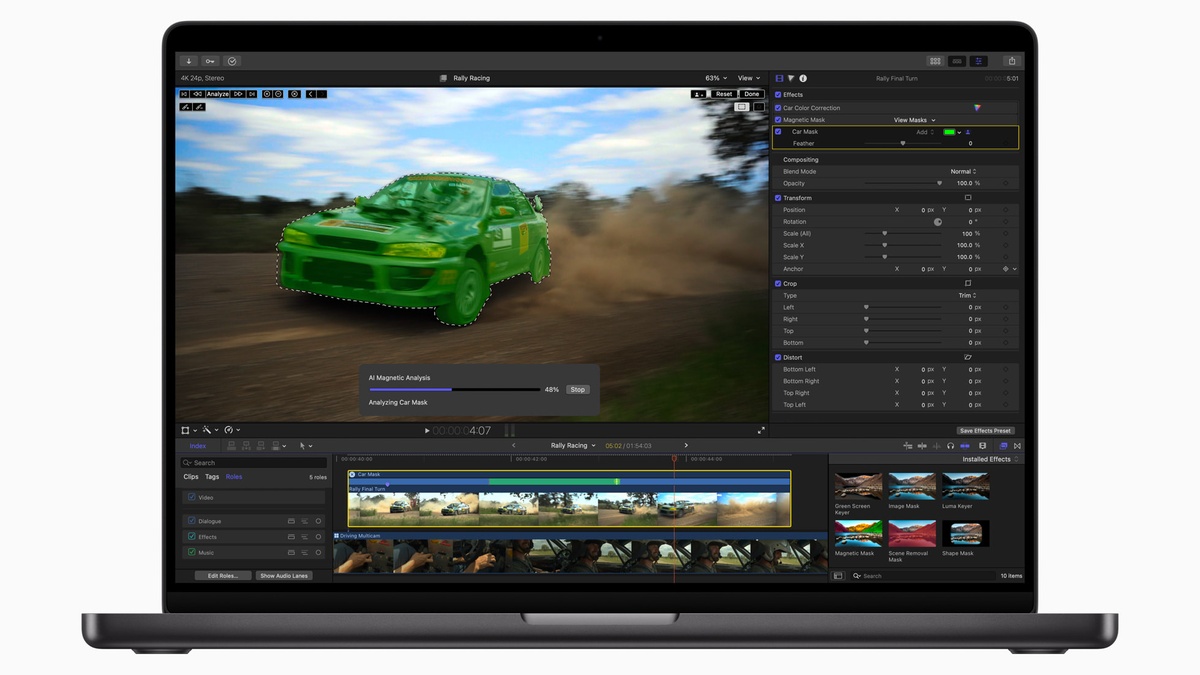
Visual curve graphs allow editors to adjust velocity handles directly on the timeline, fine-tuning acceleration dynamics for titles and sliding transitions. Organic deceleration prevents jarring visual stops, elevating final video presentation to the aesthetic standards expected of high-end commercial television spots.
Compound clip hierarchies also benefit from enhanced audio routing options, enabling multi-bus output mixing across complex multi-camera edits. Sound designers can route character dialogue, sound effects, and musical themes to dedicated submixes without unbundling complex editorial compounds.
Timeline performance optimizations further prevent UI latency when working within massive, multi-hour documentary project libraries containing thousands of cut points. The modernized Final Cut Pro MotionVFX timeline responds instantaneously to rapid zooming, trimming, and playhead scrubbing commands.
Subscription Economics: Comparing Final Cut Pro MotionVFX Against Perpetual Licenses
While the technical innovations are undeniably impressive, the commercial distribution model represents a seismic shift for Apple’s creative software strategy. Full access to Final Cut Pro MotionVFX is restricted exclusively to Apple Creator Studio subscribers, requiring a recurring monthly fee.
Priced at $12.99 per month or $129 annually, Apple Creator Studio bundles Final Cut Pro, Logic Pro, Pixelmator Pro, Motion, and Compressor into a unified subscription. This unified package targets independent filmmakers, commercial agencies, and social video creators seeking comprehensive toolsets.
Crucially, users who previously purchased the standalone, one-time version of Final Cut Pro for $299 will not receive the MotionVFX library. While perpetual license owners retain standard maintenance bug fixes, premium Final Cut Pro MotionVFX tools require maintaining an active Creator Studio subscription.
| Commercial Production Metric | Apple Creator Studio Tier | Legacy Final Cut Pro ($299) | Adobe Creative Cloud Suite |
|---|---|---|---|
| Entry Pricing Model | $12.99 / Month ($129 / Year) | $299.99 One-Time Perpetual | $59.99 / Month All Apps Plan |
| Motion Graphics Library Included | Complete MotionVFX Catalog | None (External Purchases Required) | Basic Adobe Stock (Add-On Pricing) |
| Bundled Pro Applications | FCP, Logic, Pixelmator, Motion | Final Cut Pro Standalone Only | Premiere, After Effects, Photoshop |
| Neural Generative AI Tools | Generate Fill & Local Inpainting | Basic Machine Learning Tools | Adobe Firefly Generative Credits |
| Ongoing Platform Updates | Instant Feature & Cloud Sync Drops | Standard Maintenance Bug Fixes | Continuous Cloud App Updates |
| Estimated 3-Year Total Cost | $387.00 Total Investment | $299.99 (Excludes Motion Plugins) | $2,159.64 Total Investment |
For professional creators who routinely spent hundreds of dollars annually on individual third-party plugin packages, the $12.99 monthly cost provides extraordinary value. Consolidating the full MotionVFX template catalog into the Creator Studio package eliminates thousands of dollars in separate standalone commercial licensing expenses.
Comparable to subscription transitions detailed in our Xbox Cloud Gaming pricing model breakdown, recurring cloud software suites provide predictable revenue for developers while delivering massive ongoing asset updates to subscribers.
Nevertheless, perpetual license purists have voiced frustration over the creation of a tiered software ecosystem. Independent filmmakers must weigh whether the extensive Final Cut Pro MotionVFX library and cloud asset repository justify transitioning from a paid-in-full license to monthly overhead.
Frequently Asked Questions
What new tools does the latest MotionVFX update include?
The major software update integrates thousands of broadcast motion graphics, 3D surface tracking, automated subject masking, Content Hub stock assets, bidirectional Pixelmator Pro round-tripping, and detached timeline storylines into Final Cut Pro.
Is the MotionVFX library free for existing Final Cut Pro users?
No, the MotionVFX asset library and advanced cloud tools are exclusive to Apple Creator Studio subscribers. Users with the legacy one-time standalone purchase receive basic stability updates but cannot access premium motion graphics templates natively.
How much does the subscription cost to access Final Cut Pro MotionVFX?
Apple Creator Studio costs $12.99 per month or $129 per year. The subscription includes Final Cut Pro, Logic Pro, Pixelmator Pro, Motion, Compressor, and the entire built-in Final Cut Pro MotionVFX motion graphics catalog.
How does 3D surface tracking operate in Final Cut Pro MotionVFX?
Yes, the Final Cut Pro MotionVFX planar tracker tracks perspective shifts across surfaces with millimeter precision. The engine calculates scene depth maps to organically occlude titles and graphics behind moving subjects without green screens.
How does Pixelmator Pro round-trip editing work in Final Cut Pro MotionVFX?
Selecting Open in Pixelmator Pro launches the current video frame into Pixelmator with full color fidelity. Edits, retouching, and neural generative fills automatically sync back to your Final Cut Pro MotionVFX timeline upon saving.
Final Verdict: A Milestone Workflow Transformation for High-End Video Creators
The integration of Final Cut Pro MotionVFX marks a monumental leap forward for video post-production on the Mac platform. By uniting professional motion graphics, planar tracking, and stock media directly into the native workspace, Apple has eliminated third-party plugin management headaches.
While the shift toward an Apple Creator Studio subscription may disappoint perpetual license enthusiasts, the immense financial value is undeniable. Accessing thousands of dollars worth of motion design assets for $12.99 monthly empowers creators to produce broadcast-caliber content effortlessly.
With blazing Apple silicon Metal acceleration, seamless Pixelmator Pro image round-tripping, and newfound timeline flexibility, Final Cut Pro MotionVFX redefines the creative velocity of digital storytelling. It represents an essential, transformative upgrade for modern video editors everywhere.
