


Table of Contents
Mojang has officially released Minecraft Switch 2 mouse controls within an active closed beta build, answering persistent community requests for genuine desktop-style precision on Nintendo’s flagship hybrid console hardware.
As originally highlighted in comprehensive reporting by Nintendo Life, this experimental software build confirms that optical pointing navigation will arrive for all Switch 2 adventurers in an upcoming patch.
| Feature & Metric | Switch 2 Joy-Con 2 Mouse | Traditional Console Gamepad | Native PC Desktop Setup |
|---|---|---|---|
| Tracking Mechanism | Optical Sensor Base Tracking | Dual Analog Thumbsticks | High-DPI Desktop Laser Mouse |
| Cursor Precision | Sub-Pixel Micro Navigation | Velocity-Based Acceleration | True Hardware Raw Input |
| Hand Orientation | Left or Right Joy-Con Independent | Fixed Symmetrical Dual Grip | Fixed Right-Hand Dominance |
| Block Interaction | ZL Placement / ZR Destruction | Triggers & Shoulder Bumpers | Right Click & Left Click |
| Inventory Velocity | Point-and-Click Grid Dragging | D-Pad Step-by-Step Cursor | Rapid Keyboard Hotbar Drag |
| Platform Availability | Switch 2 Closed Beta (Future Public) | Universal Console Standard | Native Java & Bedrock PC |
| Latency Profile | Ultra-Low Bluetooth 5.3 Optical | Standard 8ms Polling Interval | 1000Hz USB Polling |
Optical Pointer Architecture: How Joy-Con 2 Mouse Tracking Operates in Bedrock
The technical implementation behind Minecraft Switch 2 mouse controls utilizes the dedicated optical sensor embedded within the base of each Joy-Con 2 controller, transforming flat tabletops into responsive gaming mousepads.
Unlike clumsy gyroscopic pointer emulation from previous generations, this modern tracking framework registers true positional displacement on real-world flat surfaces, ensuring microsecond cursor accuracy without annoying rotational drift or frequent recalibration pauses.
Engineers evaluating Minecraft Switch 2 mouse controls praise how smoothly Mojang integrated optical input data into the core Bedrock engine pipeline, eliminating artificial deadzones that previously made inventory management on television screens tedious.
This real-time optical translation mirrors the high-speed input handling benchmarks examined in our AMD Ryzen 7 9800X3D gaming processor breakdown, where millisecond processing intervals dictate flawless gaming execution.
By establishing a direct hardware bridge between console firmware and Bedrock routines, Minecraft Switch 2 mouse controls establish an exciting precedent for upcoming strategy simulations and tactical role-playing adventures on Switch 2.
Hands-On Beta Configuration: Cursor Sensitivity, Ambidextrous Grips and Button Mapping
Exploring the experimental settings menu, Minecraft Switch 2 mouse controls furnish players with an impressive array of customization sliders designed to personalize cursor velocity, camera acceleration, and ambidextrous operational preferences.
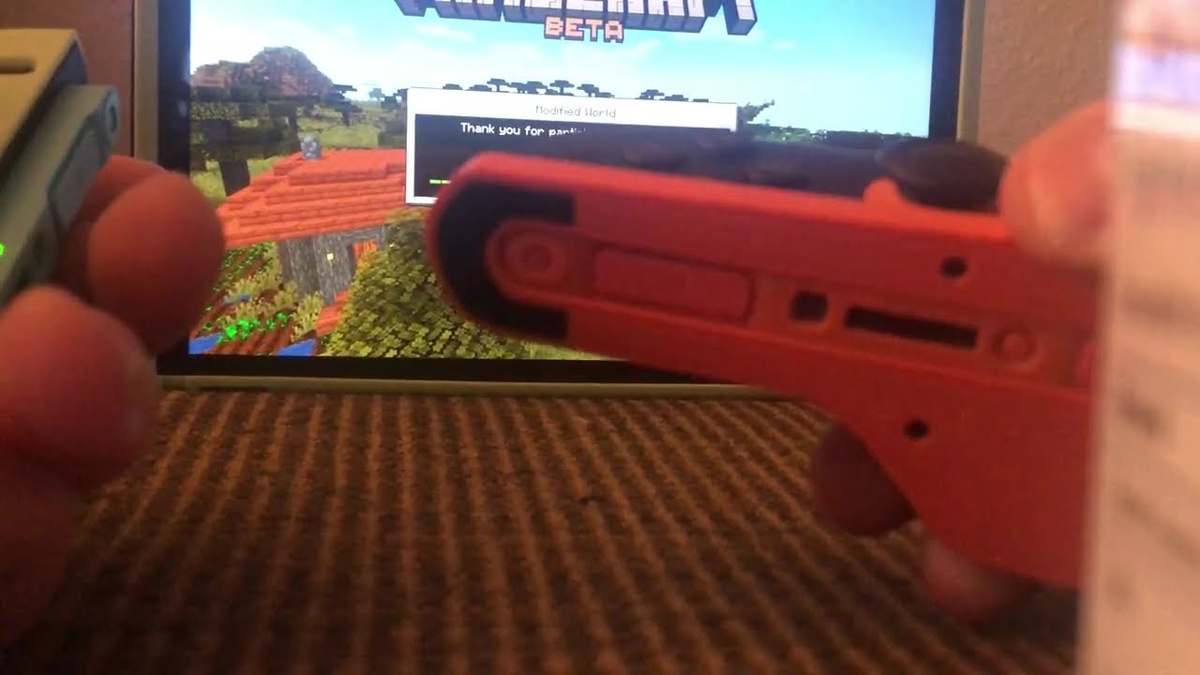
As documented in hands-on reports from Nintendo Everything, participants can freely toggle mouse tracking between either the left or right Joy-Con 2 depending on individual ergonomic preference.
Within the default control mapping for Minecraft Switch 2 mouse controls, pressing the ZL bumper places building blocks while the ZR trigger destroys voxels and selects items across cluttered crafting grids.
Flight navigation in Creative mode utilizes the face A button for vertical ascents and the B button for descending maneuvers, while full button remapping remains accessible inside settings.
Testing Minecraft Switch 2 mouse controls during intense survival building sessions demonstrates that independent sensitivity sliders prevent accidental camera swinging while maintaining snappy cursor tracking across ninety inventory slots.
Raspberry Pi Retro Callout: The Nostalgic Story Behind the Beta Cursor
One of the most charming engineering discoveries within Minecraft Switch 2 mouse controls is the visual appearance of the on-screen pointer, which directly revives the cursor from the historic Raspberry Pi Edition.
First launched over a decade ago for educational hobbyist microcomputers, that lightweight edition required a minimalist pixel pointer, creating an instant wave of nostalgia among veteran sandbox enthusiasts testing the new beta.
Community members scrutinizing Minecraft Switch 2 mouse controls noted that while the retro cursor provides clear visibility against textured voxel backgrounds, Mojang will likely polish the final artwork prior to public distribution.
This playful homage illustrates Mojang’s longstanding engineering heritage, echoing the software evolution explored in our PC gaming operating system analysis, where classic software architectures continuously inspire modern implementations.
Whether preserved as an optional aesthetic Easter egg or updated to high-definition vectors, the nostalgic pointer makes evaluating Minecraft Switch 2 mouse controls a delightful tribute to sandbox history.
Vibrant Visuals Synergy: High-DPI Desktop Precision Meets Next-Gen Shaders
Deploying Minecraft Switch 2 mouse controls alongside Nintendo’s newly unveiled Vibrant Visuals graphics pipeline fundamentally transforms the artistic atmosphere and tactical pacing of the bestselling survival crafting sandbox.
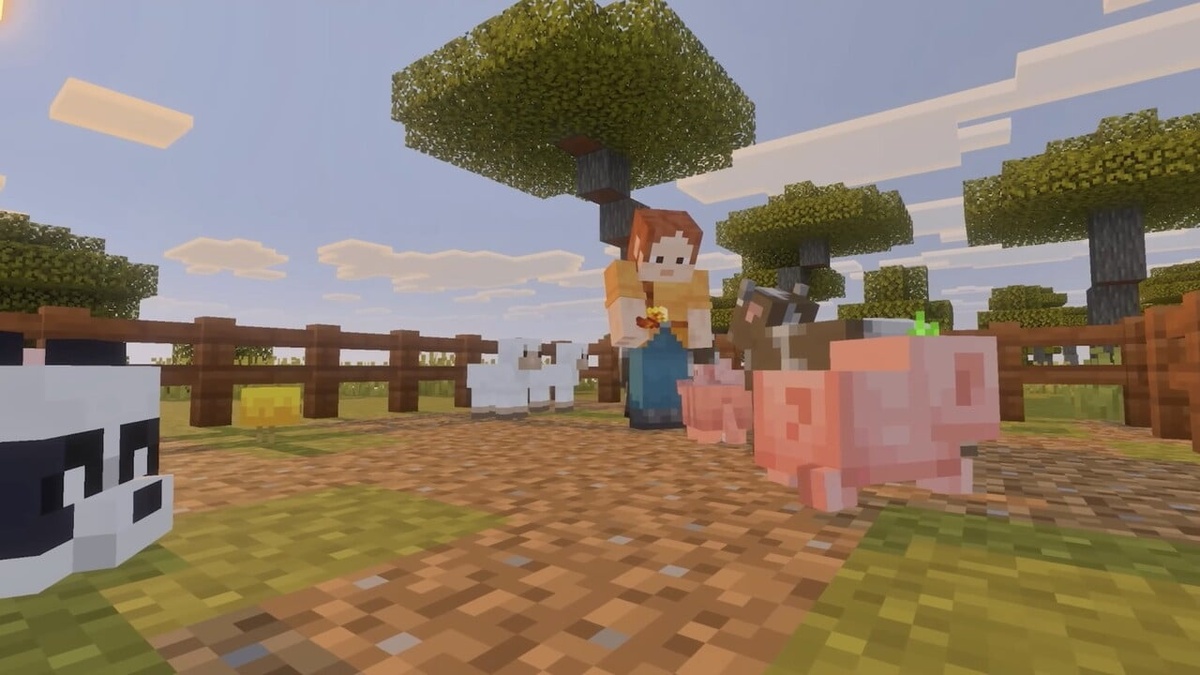
Vibrant Visuals delivers enhanced directional sunlight, volumetric fog reflections across surging water bodies, and complex foliage shading, demanding higher camera precision when constructing intricate architectural towers or navigating subterranean caverns.
Operating Minecraft Switch 2 mouse controls within these visually dense environments enables players to place delicate redstone wiring, glass panes, and decorative lanterns with millimeter desktop accuracy.
Sustaining these dynamic volumetric lighting pipelines alongside high-frequency optical controller polling requires massive unified memory bandwidth, paralleling the silicon architecture evaluated in our Apple M4 Pro chip review.
Coupling high-fidelity graphical shaders with Minecraft Switch 2 mouse controls bridges the historical divide between portable handheld consoles and high-end desktop workstations, delivering an uncompromising sandbox experience anywhere.
| Calibration Parameter | Switch 2 Beta Setting Range | Default Value | Recommended Configuration | Tactical Advantage |
|---|---|---|---|---|
| Cursor Sensitivity | 10% to 100% Granular Slider | 50% Normalized | 65% for Rapid Menu Navigation | Minimizes physical hand movement during crafting |
| Camera Sensitivity | 10% to 100% Granular Slider | 50% Normalized | 45% for Smooth Aiming | Eliminates jitter during distant voxel placement |
| Joy-Con Hand Assignment | Left Joy-Con or Right Joy-Con | Right Joy-Con Primary | User Preference / Ambidextrous | Full accessibility for left-handed builders |
| Digital Upgrade Fee | Free for Digital Switch Owners | $0.00 until January 2027 | Immediate eShop Redemption | Seamless save transfer with zero financial cost |
| Physical Cartridge Path | Discounted Ultimate Upgrade | Variable eShop Trade-in | Digital Voucher Verification | Grants complete DLC collection alongside Switch 2 code |
Upgrade Paths and Public Deployment: Release Timelines and Cartridge Discounts
While the closed beta demonstrates impressive functional polish, Mojang has not yet finalized a firm public rollout date for Minecraft Switch 2 mouse controls across all global retail units.
Nevertheless, players preparing for the full update can review comprehensive technical manuals on Mojang’s official portal to prepare their survival worlds and server realms.
In complementary ecosystem developments, Nintendo confirmed that digital Switch edition owners can claim a complimentary Switch 2 upgrade through the Nintendo eShop until late January 2027.
Physical cartridge owners are also supported through a promotional digital upgrade discount, granting discounted access to the expanded Minecraft Ultimate Collection containing premium texture packs and mashup worlds.
This consumer-friendly upgrade path ensures that millions of returning builders can effortlessly transition their long-running worlds and enjoy Minecraft Switch 2 mouse controls upon broad deployment.
Frequently Asked Questions
How can players try out Minecraft Switch 2 mouse controls right now?
Players can test Minecraft Switch 2 mouse controls immediately by enrolling in the active closed beta program on Nintendo Switch 2 hardware prior to its general public release.
Can you use either the left or right Joy-Con for mouse navigation?
Yes, the settings menu for Minecraft Switch 2 mouse controls allows complete ambidextrous flexibility, letting players assign mouse pointing to either the left or right Joy-Con 2 controller.
What is the default button layout for placing and breaking blocks in mouse mode?
By default, the ZL bumper places building blocks while the ZR trigger breaks blocks and selects items, with full button remapping available in the settings menu.
Why does the beta mouse cursor resemble the Raspberry Pi Edition?
Mojang included the iconic pixelated cursor from the vintage Raspberry Pi Edition as a nostalgic callback, though final visual assets may be polished before retail rollout.
Is the Nintendo Switch 2 upgrade free for existing Minecraft owners?
Digital Switch owners can download the Switch 2 upgrade completely free until January 2027, while physical cartridge owners receive a discounted upgrade to the Ultimate Collection.
Final Verdict: A Transformative Control Paradigm for Console Building
The debut of Minecraft Switch 2 mouse controls in closed beta marks one of the most substantial control innovations for console sandbox gaming since analog thumbsticks replaced digital pads.
Much like the cloud gaming paradigms examined in our Xbox Cloud Gaming architecture analysis, hardware innovations that lower interface friction dramatically improve long-term player immersion.
Once this exceptional update reaches general distribution, Minecraft Switch 2 mouse controls will solidify the Switch 2 edition of Minecraft as the undisputed definitive portable sandbox experience.
