


For over a decade, handheld gaming enthusiasts have dreamed of carrying the vast, unrestricted digital libraries of Steam and GOG directly in their pockets. Today, that sci-fi fantasy has transformed into jaw-dropping reality. Breakthrough translation layers and customized ARM drivers have propelled PC emulation on Android into the mainstream tech spotlight, allowing modern smartphones to render seventh- and eighth-generation PC blockbusters at breathtaking frame rates. As highlighted in recent hands-on testing by How-To Geek, seeing titles like Metal Gear Rising: Revengeance and Grand Theft Auto V boot natively on a smartphone feels like pure technological witchcraft.
Yet, behind the viral YouTube showcases and glossy benchmark clips lies a sobering engineering reality. While modern silicon possesses the raw computational muscle to match last-generation home consoles, executing desktop software on pocket hardware introduces severe physical, architectural, and ergonomic friction points. From suffocating mobile storage bottlenecks to impassable kernel-level anti-cheat firewalls, exploring PC emulation on Android reveals five critical catches every mobile gamer must understand before retiring their handheld consoles. While dedicated hardware ecosystems continue to evolve—as seen in our recent analysis of the Hitman Absolution Switch 2 release date—turning an Android device into a pocket gaming PC requires navigating a gauntlet of complex compromises.
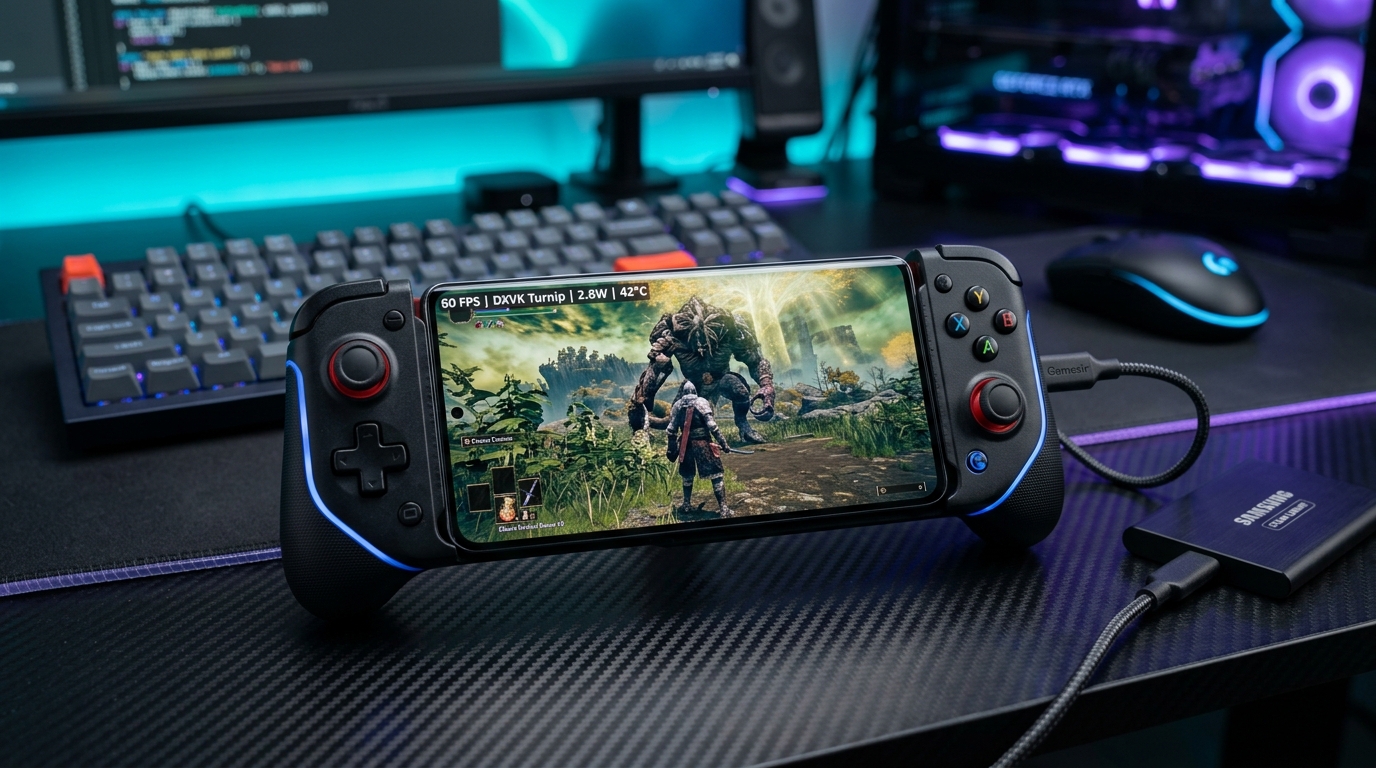
Table of Contents
How PC Emulation on Android Actually Works: Translation vs. Emulation
To grasp the technical achievements and inherent limitations of PC emulation on Android, one must first clarify a fundamental architectural distinction: your phone is not actually emulating an entire x86 PC architecture from scratch. Full instruction-level virtualization of a multi-core x86 processor on an ARM64 chipset would impose a catastrophic performance overhead, reducing even simple 3D games to an unplayable crawl.
Instead, modern implementations of PC emulation on Android rely on a multi-tiered pipeline of dynamic binary translation and runtime API wrapping:
- Instruction Translation (Box64 & FEX-Emu): Tools hosted on open-source repositories like GitHub dynamically recompile x86 and x86_64 machine instructions into native ARM64 instructions in real time. This operates identically to Apple’s acclaimed Rosetta 2 technology on Apple Silicon Macs.
- Windows API Compatibility (Wine & Proton): Because Windows executables rely on Win32 and DirectX API calls that Android’s Linux kernel does not natively understand, translation environments leverage Wine and specialized forks of Valve’s Proton compatibility layer to translate Windows system calls into standard POSIX equivalents.
- Graphics Translation (DXVK & VKD3D): Direct3D 9, 10, 11, and 12 draw calls are intercepted and converted on the fly into Vulkan API commands.
- Custom Adreno GPU Drivers (Turnip): On devices powered by Qualcomm Snapdragon processors, open-source Mesa Turnip drivers bypass OEM restrictions to execute complex Vulkan shader pipelines with remarkable efficiency.
Because Android is fundamentally built upon the Linux kernel, this translation stack mirrors the exact technical architecture that powers the Valve Steam Deck. However, translating desktop-class workloads onto a fanless glass slab exposes five severe operational obstacles.
Catch 1: The Brutal Internal Storage Bottleneck
The single most immediate and frustrating barrier facing PC emulation on Android is physical storage capacity. In the modern smartphone market, manufacturers have systematically stripped MicroSD card expansion slots from flagship devices, nudging consumers toward cloud backups and tiered base configurations of 128 GB or 256 GB.
While 256 GB feels generous for mobile photography and social media applications, desktop PC games are notorious storage behemoths. Consider the installation footprint of prominent titles frequently showcased in PC emulation on Android benchmarks:
| Game Title | PC Installation Footprint | Percentage of 256 GB Phone Storage | Estimated Playtime (HowLongToBeat) |
|---|---|---|---|
| Grand Theft Auto V | 112.4 GB | 43.9% | 32–82 Hours |
| Cyberpunk 2077 | 76.8 GB | 30.0% | 25–105 Hours |
| Metal Gear Rising: Revengeance | 25.6 GB | 10.0% | 7–20 Hours |
| The Witcher 3: Wild Hunt (Complete) | 58.2 GB | 22.7% | 52–175 Hours |
| Fallout 4 (With DLCs) | 42.5 GB | 16.6% | 35–160 Hours |
According to verified campaign metrics tracked on HowLongToBeat, immersive RPGs demand massive local storage. Installing just one modern open-world title like GTA V consumes nearly half of your phone’s total internal capacity. While sideloaded frontends like GameHub and Winlator support importing games from external USB-C flash drives or portable SSDs, dangling external storage dongles and cables off the bottom of your phone completely destroys mobile handheld ergonomics.
Catch 2: Thermal Throttling & Sustained Clock Degradation
The second devastating reality of PC emulation on Android is heat dissipation. Unlike the Steam Deck, Asus ROG Ally, or Nintendo Switch—which feature active centrifugal cooling fans, copper heat pipes, and dedicated exhaust vents—mainstream smartphones are passively cooled devices trapped inside hermetically sealed glass and aluminum sandwiches.
When running heavy x86 instruction translation alongside real-time DXVK shader compilation, modern chipsets like the Snapdragon 8 Gen 2, Gen 3, and 8 Elite pull significant wattage. While initial benchmarks appear miraculous—locking 60 FPS in early gameplay—internal SoC temperatures rapidly surge past 45°C (113°F) within 15 to 20 minutes. To protect internal battery chemistry and display layers from thermal damage, the Android operating system enforces aggressive thermal throttling:
- CPU Clock Throttling: High-performance Cortex-X prime cores throttle down by 30% to 50% of their peak frequency.
- GPU Clock Collapse: Adreno graphics clocks step down, causing frame rates in titles like The Witcher 3 to plummet from a smooth 50 FPS down to a stuttering 22 FPS.
- Frame Time Spikes: Thermal throttling introduces jarring micro-stutters and input latency spikes that make precision combat unbearable.
Unless players tether bulky thermoelectric Peltier cooling fans (such as Black Shark or RedMagic magnetic coolers) to the back of their device, sustained PC emulation on Android remains severely limited for extended gaming sessions.
Catch 3: Anti-Cheat & Kernel-Level DRM Firewalls
For millions of gamers, PC gaming is synonymous with online multiplayer staples: Call of Duty: Warzone, Fortnite, Valorant, Apex Legends, and Destiny 2. Unfortunately, if your motivation for pursuing PC emulation on Android is competitive multiplayer, you will hit an impenetrable brick wall.
Modern online PC games rely on kernel-level anti-cheat drivers (such as Riot Vanguard, Easy Anti-Cheat, BattlEye, and Ricochet) that require deep ring-0 execution privileges inside the native Windows kernel. Because translation environments on Android execute entirely inside user-space containers running over a modified Linux kernel, these anti-cheat drivers fail instantly upon initialization. Furthermore, aggressive digital rights management (DRM) frameworks like Denuvo Anti-Tamper frequently flag x86 translation layers as malicious debugging environments, refusing to launch even single-player titles. Consequently, PC emulation on Android is strictly confined to offline, single-player campaigns and DRM-free GOG releases.
Catch 4: GPU Driver Fragmentation (Snapdragon vs. The World)
One of the most deceptive aspects of PC emulation on Android is hardware compatibility. Internet tutorials showcasing pristine 60 FPS gameplay almost universally utilize devices powered by Qualcomm Snapdragon SoCs. If you own a smartphone equipped with a MediaTek Dimensity processor (ARM Mali GPU), a Google Pixel (Mali / Tensor GPU), or an international Samsung Galaxy device powered by Exynos (Samsung Xclipse / AMD RDNA), your experience will be drastically inferior.
The secret weapon that makes PC emulation on Android viable on Snapdragon hardware is the community-developed Turnip driver, an open-source Vulkan driver developed within the Mesa graphics stack. Turnip bypasses Qualcomm’s flawed proprietary drivers, offering near-flawless DirectX-to-Vulkan translation. Conversely, Mali and Xclipse graphics processors lack comparable open-source driver support, resulting in severe graphical corruptions, missing textures, flashing polygons, and instant crashes across most 3D titles. On non-Snapdragon hardware, PC emulation on Android remains largely broken.
Catch 5: Control Mapping & Input Ergonomics
PC video games were fundamentally designed around two input paradigms: the mouse-and-keyboard setup or standard XInput gamepad layouts. Translating complex PC interfaces onto a 6.7-inch mobile touchscreen creates immediate ergonomic frustration.
While frontends like Winlator offer customizable on-screen virtual touch buttons, playing a fast-paced action game like Metal Gear Rising or navigating dense inventory menus in Fallout 4 using glass overlays obscures over 40% of the display. Furthermore, the lack of tactile feedback leads to frequent missed inputs during high-stress encounters. To enjoy PC emulation on Android with acceptable precision, purchasing dedicated telescopic controllers (such as the Razer Kishi Ultra, Backbone One, or GameSir G8 Galileo) is practically mandatory, adding another layer of physical bulk and financial cost to the setup.
Desktop Docking: The Samsung DeX & External Monitor Dream
Despite these five catches, PC emulation on Android achieves moments of absolute brilliance when paired with desktop docking environments. Flagship Samsung devices equipped with Samsung DeX (or Motorola devices with “Ready For”) can output a clean 1080p desktop video feed directly to external monitors via a single USB-C cable.
When connected to a powered USB-C hub, gamers can connect standard mechanical keyboards, wireless gaming mice, and wired Ethernet connections. In this docked configuration, running older PC classics—such as Fallout: New Vegas, Dishonored, or BioShock Remastered—transforms your smartphone into a legitimate, whisper-quiet micro-desktop gaming rig. Because the phone can be positioned directly under an external desk fan, thermal throttling issues are significantly reduced, offering a fascinating glimpse into the converged future of mobile computing.
The Software Ecosystem: Winlator, Mobox, and GameHub Compared
If you are eager to experiment with PC emulation on Android, the community offers three primary software frontends, each targeting different user experience levels:
| Frontend Tool | Target Audience | Key Strengths | Primary Drawbacks |
|---|---|---|---|
| Winlator (Cmod / Frost) | Intermediate Enthusiasts | Full desktop GUI, built-in container management, seamless Turnip driver selection. | Requires manual game file copying and configuration tweaking. |
| Mobox (Termux-based) | Advanced Power Users | Maximum raw frame rate potential, cutting-edge FEX-Emu updates, minimal background overhead. | Command-line installation, complex setup, zero graphical user interface. |
| GameHub | Casual Beginners | Direct Steam account integration, community compatibility ratings per phone model. | Requires sideloading for external storage features; closed ecosystem. |
For most players diving into PC emulation on Android for the first time, community forks of Winlator represent the most balanced starting point, offering a friendly Windows-style desktop interface alongside intuitive graphics driver toggles.
Local Hardware Translation vs. Cloud Gaming Services
When weighing the friction of PC emulation on Android, one must inevitably compare it to cloud streaming alternatives. Services like Xbox Cloud Gaming—which we frequently evaluate in our coverage of Xbox Game Pass Wave 2 October 2026 additions—and GeForce NOW eliminate virtually all hardware hurdles. Cloud streaming requires zero local storage, introduces no thermal throttling, supports online multiplayer with anti-cheat, and preserves battery life by offloading computational rendering to remote server blades.
However, local PC emulation on Android retains one massive, unassailable advantage: absolute offline independence. When flying on an airplane, riding a subway, or traveling through rural regions without high-speed 5G connectivity, cloud gaming collapses entirely. Local translation allows your smartphone to run complete single-player campaigns anywhere on earth without an internet connection.
Frequently Asked Questions: PC Emulation on Android
Is PC emulation on Android legal?
Yes. The translation layers, compatibility tools (Wine, Proton, Box64), and open-source graphics drivers (Turnip) used for PC emulation on Android are 100% legal, open-source software projects. However, players must legally own the PC game files and licenses they install into these translation environments.
Can PC emulation on Android damage my phone’s battery?
While running games will not immediately destroy hardware, sustained heavy workloads at high internal temperatures (above 45°C) will accelerate lithium-ion battery degradation over time. Utilizing external cooling fans and avoiding charging while playing at maximum load helps protect battery health.
Which processor is best for PC emulation on Android?
Qualcomm Snapdragon 8 Gen 2, Snapdragon 8 Gen 3, and the latest Snapdragon 8 Elite processors are the undisputed champions for PC emulation on Android. Their Adreno GPUs benefit from mature, open-source Turnip drivers that deliver vastly superior stability compared to MediaTek Dimensity or Samsung Exynos chips.
Final Verdict: Is PC Emulation on Android Ready for Daily Gaming?
The rapid maturation of PC emulation on Android represents one of the most exciting technical triumphs in modern computing. Watching a pocket device effortlessly execute Metal Gear Rising or Fallout 4 at 60 FPS validates the immense computational power of modern mobile silicon. For enthusiasts, tinkerers, and retro gamers who enjoy optimizing translation containers, it offers endless hours of fascinating discovery.
However, for mainstream gamers seeking a seamless, frictionless portable experience, the five catches—monstrous storage demands, aggressive thermal throttling, anti-cheat barriers, driver fragmentation, and awkward touch controls—ensure that dedicated gaming handhelds like the Steam Deck and Nintendo Switch remain irreplaceable. Until smartphone manufacturers restore expandable storage and integrate active cooling, PC emulation on Android remains a brilliant, awe-inspiring glimpse into gaming’s future, rather than an outright replacement for dedicated hardware today.
