


Table of Contents
Security researchers have confirmed that a Vulnerable Intel Driver package is actively being pushed through Windows Update, forcing Microsoft Defender into conflict with Redmond’s own distribution infrastructure while leaving endpoint systems exposed to potential kernel-level exploitation.
According to an in-depth Neowin technical report, the delivery involves an Intel extension driver packaging legacy libraries that grant unprivileged applications administrative hardware control across millions of active Windows 11 and Windows 10 client devices.
| Component Attribute | Catalog Specifications | Security Risk Classification | Administrative Impact |
|---|---|---|---|
| Driver Package Identity | Intel Corporation Extension 1.0.0.38 | WHCP Cryptographically Signed | Automated Windows Update Delivery |
| INF Definition Name | performancedriverextension.inf | Vendor Extension INF Architecture | Tied to Intel NUC Hardware IDs |
| Bundled Library File | OpenHardwareMonitorLib.sys | Legacy Open-Source Hardware Monitor | Embedded Sensor Telemetry Component |
| Kernel Execution Driver | WinRing0.sys (WinNT/Winring0) | CVE-2020-14979 (High Severity) | Ring 0 Arbitrary Physical Memory Access |
| Microsoft Defender Action | VulnerableDriver:WinNT/Winring0 | Automatic File Quarantine & Removal | Immediate Defender Alert Triggered |
| Catalog Servicing Behavior | Static Hardware Matching Rules | Unpatched Since Early 2023 Manifests | Automatic Redownload Loop Cycle |
Flawed Driver Distribution: How Vulnerable Intel Driver Code Entered Windows Update
The unexpected appearance of the Vulnerable Intel Driver package inside standard Windows Update staging catalogs underscores a significant breakdown in automated driver quality controls and hardware validation pipelines across the broader Microsoft ecosystem.
End users across technical community forums first noticed persistent antimalware alerts immediately following routine operating system maintenance, discovering that freshly updated Intel client systems triggered urgent alerts flagging known malicious software components.
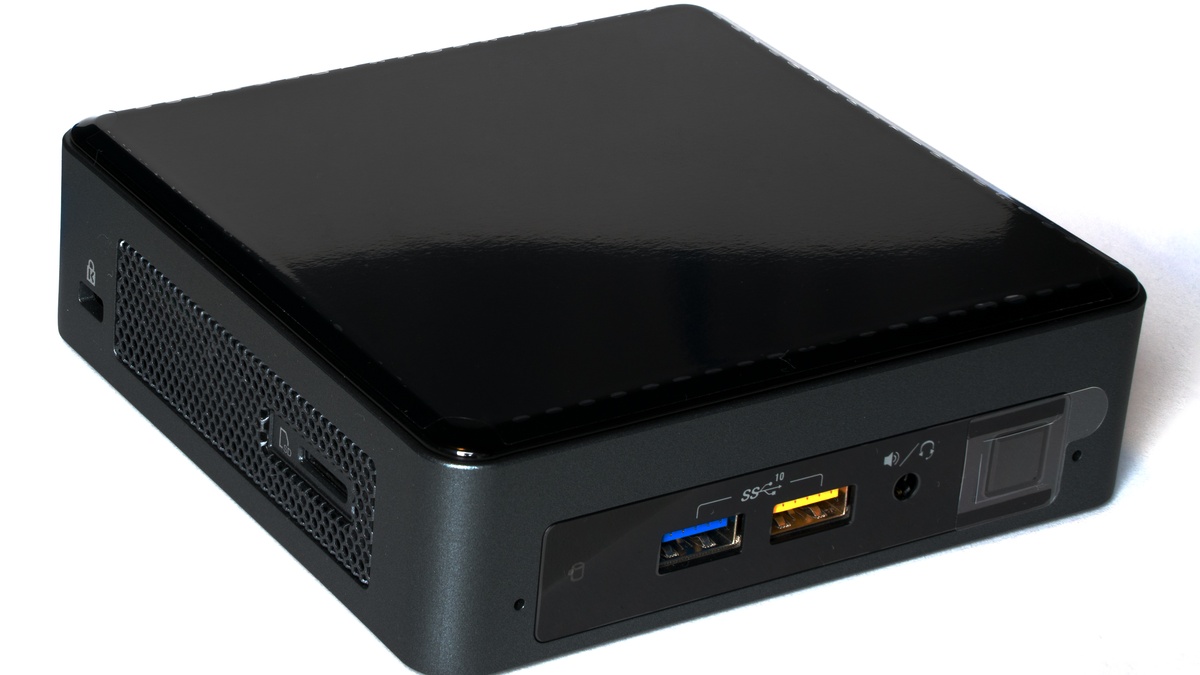
The delivery package arrives cataloged as Intel Corporation Extension version 1.0.0.38, intended to facilitate thermal telemetry and hardware sensor monitoring for compact computing solutions like Intel Next Unit of Computing platforms.
Instead of deploying audited modern runtime binaries, the installation bundle unpacks legacy utility files dating back several years, bringing long-deprecated execution components into contemporary computing environments where modern security standards expect strict isolation.
Because the driver extension was cryptographically signed during its original hardware certification window, automated Windows Update deployment servers process the payload as trustworthy code without verifying whether underlying binaries violate current security blocklists.
This distribution anomaly reveals how enterprise update mechanisms can bypass local hygiene practices, presenting operational challenges comparable to broader hardware transitions like the NVIDIA Windows 10 support retirement across active commercial PC fleets.
Root Cause Architecture: OpenHardwareMonitorLib and the WinRing0 Kernel Flaw
At the heart of the security conflict lies OpenHardwareMonitorLib.sys, an open-source hardware monitoring library integrated directly into the background services of the Intel NUC Software Studio management suite.
The monitoring library incorporates WinRing0, an infamous low-level kernel driver that allows direct input and output port access, model-specific register reading, and arbitrary physical memory inspection from unprivileged user-mode software environments.
The National Vulnerability Database catalogues this specific flaw as CVE-2020-14979, noting that low-privileged local processes can exploit the kernel driver to execute arbitrary code with highest ring zero system authority.
Because the underlying driver component was originally designed decades ago to read thermal sensors and fan speeds on legacy motherboards, it entirely lacks modern security boundary checks, token validation routines, or access control lists.
When malicious software discovers this driver loaded on a host machine, an unprivileged local attacker can immediately issue device input-output control commands, completely bypassing operating system kernel safety restrictions without requiring administrative consent.
Security engineers emphasize that exposing raw model-specific registers allows rogue applications to alter clock frequencies, override critical thermal safety throttles, and read sensitive cryptographic keys cached directly inside processor execution units.
The BYOVD Exploit Vector: How Kernel Exploits Bypass Modern Windows Defenses
Modern cyber adversaries increasingly favor Bring Your Own Vulnerable Driver techniques to disable endpoint protection tools, neutralize critical security telemetry sensors, and inject unmonitored rootkits directly into ring zero kernel space.
In a conventional BYOVD attack sequence, adversaries must smuggle a signed vulnerable binary onto the target disk, often risking immediate detection during initial payload delivery or routine storage scanning routines.

However, when Windows Update natively delivers a flawed driver directly to client machines, threat actors bypass the initial delivery hurdle completely, discovering pre-installed, digitally signed exploitation bridges waiting conveniently inside local system directories.
Once established inside kernel memory, malware can manipulate kernel data structures, blind defensive endpoint detection agents, and execute malicious payloads while operating systems mistakenly view the activity as legitimate hardware sensor monitoring routines.
Furthermore, because the driver carries valid Microsoft WHCP cryptographic signatures, advanced endpoint detection engines face extreme difficulty distinguishing between legitimate diagnostic utilities and malicious kernel manipulation sequences executed through identical function calls.
This privileged access threat makes hardware firmware integrity paramount, echoing architectural safeguards built into next-generation silicon like the AMD Ryzen 7 9800X3D architecture designed to enforce rigid privilege isolation.
The Endless Installation Loop: Why Vulnerable Intel Driver Packages Persist in WHCP
The most frustrating aspect of the Vulnerable Intel Driver incident is the perpetual installation loop experienced by affected device administrators attempting to remediate the underlying security vulnerability manually.
When Microsoft Defender detects the presence of WinRing0 on a client endpoint, the antimalware engine dutifully quarantines or deletes the offending binary file to protect the local system environment from privilege escalation.
Unfortunately, because Microsoft’s central catalog maintains the update package under valid Windows Hardware Compatibility Program guidelines, the Windows Update agent detects the missing driver and immediately reinstalls it.
| Driver Servicing Tier | Security Risk Profile | Defender Action | Update Catalog Behavior | Remediation Action |
|---|---|---|---|---|
| Tier 1: WHCP Certified Drivers | Audited production code | Whitelisted by default | Standard distribution | Maintain automated updates |
| Tier 2: Legacy Vendor Extensions | Unmaintained historical binaries | Quarantine on known signature | Persistent redownload loop | Purge via PnPUtil utility |
| Tier 3: Flagged BYOVD Drivers | High exploitation vulnerability | Active threat alert logged | Blocked if blocklist enabled | Block via Group Policy IDs |
| Tier 4: Unsigned Kernel Modules | Blocked by driver signature check | Blocked at boot initialization | Rejected by Windows Update | Enforce secure boot & HVCI |
This architectural disconnection creates an infuriating cycle where local protection engines remove the flawed file only for cloud delivery mechanisms to download and restage the exact same security vulnerability hours later.
Enterprise fleet administrators report that automated vulnerability scanners continually flag corporate endpoints as non-compliant, generating hundreds of redundant security tickets while IT support teams struggle against automated operating system deployment routines.
Users transitioning from legacy micro-desktops to newer hardware like the Apple M4 Mac Mini redesign frequently cite driver servicing instability as a major motivation for adopting alternative operating systems.
Defender Versus Update Service: The Internal Contradiction in Windows Security Policy
The root of this persistent operational breakdown is a severe administrative disconnect between Microsoft’s defensive engineering divisions and the cloud server infrastructure maintaining the global Windows Update hardware driver catalog.
Microsoft Defender maintains an updated definition list identifying dangerous kernel modules, explicitly flagging WinRing0 under signature VulnerableDriver:WinNT/Winring0 due to its widespread exploitation in targeted ransomware and credential theft campaigns.

Simultaneously, the Windows Update distribution network relies on static hardware identity matching rules that treat any package holding an authentic cryptographic signature as suitable for automated installation across matching device IDs.
Because the catalog metadata has remained completely unrevised since early 2023, automated dispatch systems fail to recognize that the bundled component violates Microsoft’s own Vulnerable Driver Blocklist security mandates.
This contradiction leaves system administrators caught directly in the crossfire between competing Microsoft subsystems, receiving urgent threat notifications while their operating system continuously repopulates the flagged source of infection.
Until internal engineering silos between the Microsoft Security Response Center and Windows Update servicing divisions achieve synchronized catalog governance, enterprise customers remain unnecessarily vulnerable to conflicting corporate policies.
Remediation Protocol: How to Eradicate Deprecated Intel Driver Files via PnPUtil
Resolving the Vulnerable Intel Driver cycle requires system administrators to perform a coordinated administrative purge using Windows built-in command line management utilities rather than relying on standard graphical settings menus.
The first mandatory remediation step involves terminating and disabling the background Windows service associated with Intel NUC Software Studio by opening the Service Management console and configuring startup type to disabled.
Next, administrators must launch an elevated administrative command prompt and execute PnPUtil to inspect all third-party published driver packages currently registered inside the Windows Driver Store repository.
By identifying the specific published name assigned to performancedriverextension.inf, operators can execute a forced deletion command using the delete-driver switch combined with uninstall and force arguments to eradicate staged files.
To prevent Windows Update from automatically pulling the package back down from cloud repositories, technicians must utilize the Microsoft Show or Hide Updates troubleshooter utility to hide the specific Intel extension package.
Enterprise network administrators managing Active Directory domains should implement targeted Group Policy objects that restrict automatic driver installation for specific hardware device IDs, preventing recurring catalog staging across company workstations.
Systemic Ecosystem Impact: The Future of Microsoft Driver Quality Verification
This widespread incident has intensified industry criticism surrounding Microsoft’s ongoing Driver Quality Initiative, which promised to eliminate outdated, unvetted, and vulnerable third-party code from official distribution pipelines across Windows.
While Redmond has made commendable strides enforcing Hypervisor-Protected Code Integrity and mandatory driver blocklists on clean Windows 11 installations, legacy catalog entries continue to undermine those crucial defensive gains.
Hardware vendors frequently abandon software companion utilities when device product cycles conclude, leaving deprecated extension packages permanently embedded within Windows Update channels without ongoing maintenance or security audits from engineers.
Cybersecurity experts argue that Microsoft must implement automated cross-referencing between Defender threat intelligence definitions and Windows Update staging manifests to prevent known vulnerable binaries from receiving distribution certificates.
Enterprise security leaders suggest that future Windows releases should incorporate automated revocation mechanisms capable of invalidating catalog metadata immediately upon the discovery of high-severity CVE listings within bundled binaries.
Until automated synchronization between defensive databases and deployment channels becomes standard operating procedure, enterprise administrators must remain vigilant against every unexpected driver package delivered through official channels.
Frequently Asked Questions
Why is Windows Update delivering a vulnerable driver component?
Windows Update distributes the component because an unmaintained 2023 Intel NUC Software Studio package remains actively listed in Microsoft’s hardware catalog with valid cryptographic certification.
What security threat does the WinRing0 driver component pose?
WinRing0 contains CVE-2020-14979, allowing low-privileged local user processes to bypass kernel memory protection, execute arbitrary code with ring zero privileges, and disable system antimalware tools.
Why does Microsoft Defender repeatedly flag the driver after removal?
Defender correctly quarantines the file, but Windows Update automatically downloads and reinstalls the missing package because the driver remains certified in the global hardware catalog.
How can users permanently remove the driver from Windows?
Users must disable the Intel background service, purge the driver from the Windows Driver Store using PnPUtil commands, and hide the update using Microsoft’s Show or Hide tool.
Are modern Windows 11 systems with HVCI protected against this exploit?
While Hypervisor-Protected Code Integrity blocks unsigned code, signed vulnerable drivers can still execute unless explicitly barred by Microsoft’s recommended driver blocklist configuration.
Final Verdict: Windows Driver Sanitation and Enterprise Readiness
The ongoing distribution of this Vulnerable Intel Driver package highlights critical friction points between automated cloud update pipelines and local antimalware defense systems across contemporary Windows personal computer environments.
Until Microsoft establishes comprehensive real-time validation between Defender threat databases and Windows Update catalog manifests, administrators must actively audit staged drivers to prevent silent kernel vulnerability introduction.
By leveraging command-line driver store purges and targeted update exclusions, technical users can successfully break the installation loop and safeguard client endpoints against sophisticated privilege escalation exploits.
